


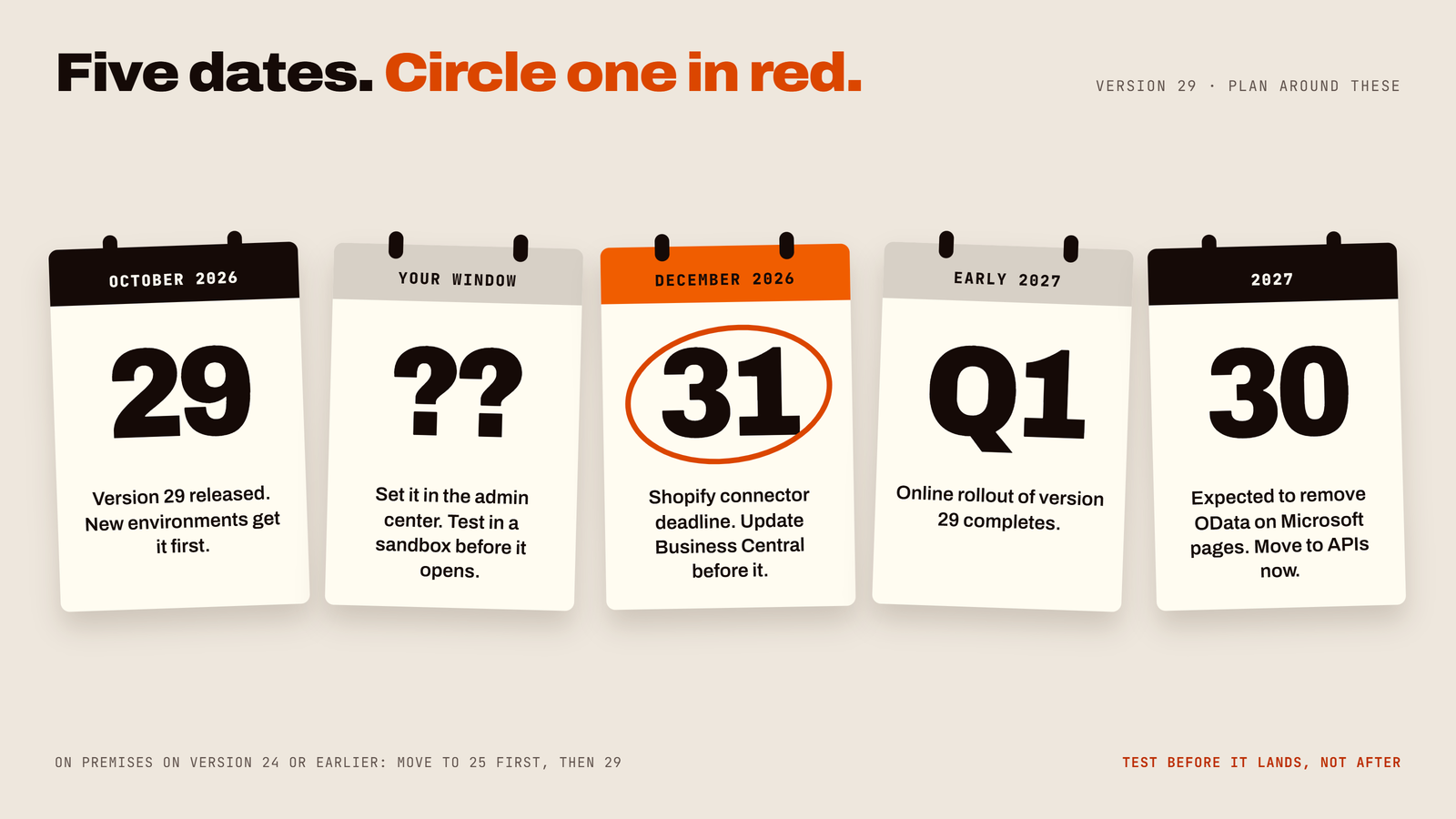
Business Central Version 29 Is Here: What's New in 2026 Release Wave 2 (and What to Do Before Your Update)
Business Central version 29 (2026 release wave 2) is the October 2026 major update. It is more than a new coat of paint — here is what matters to a business owner, and what to check before it lands.
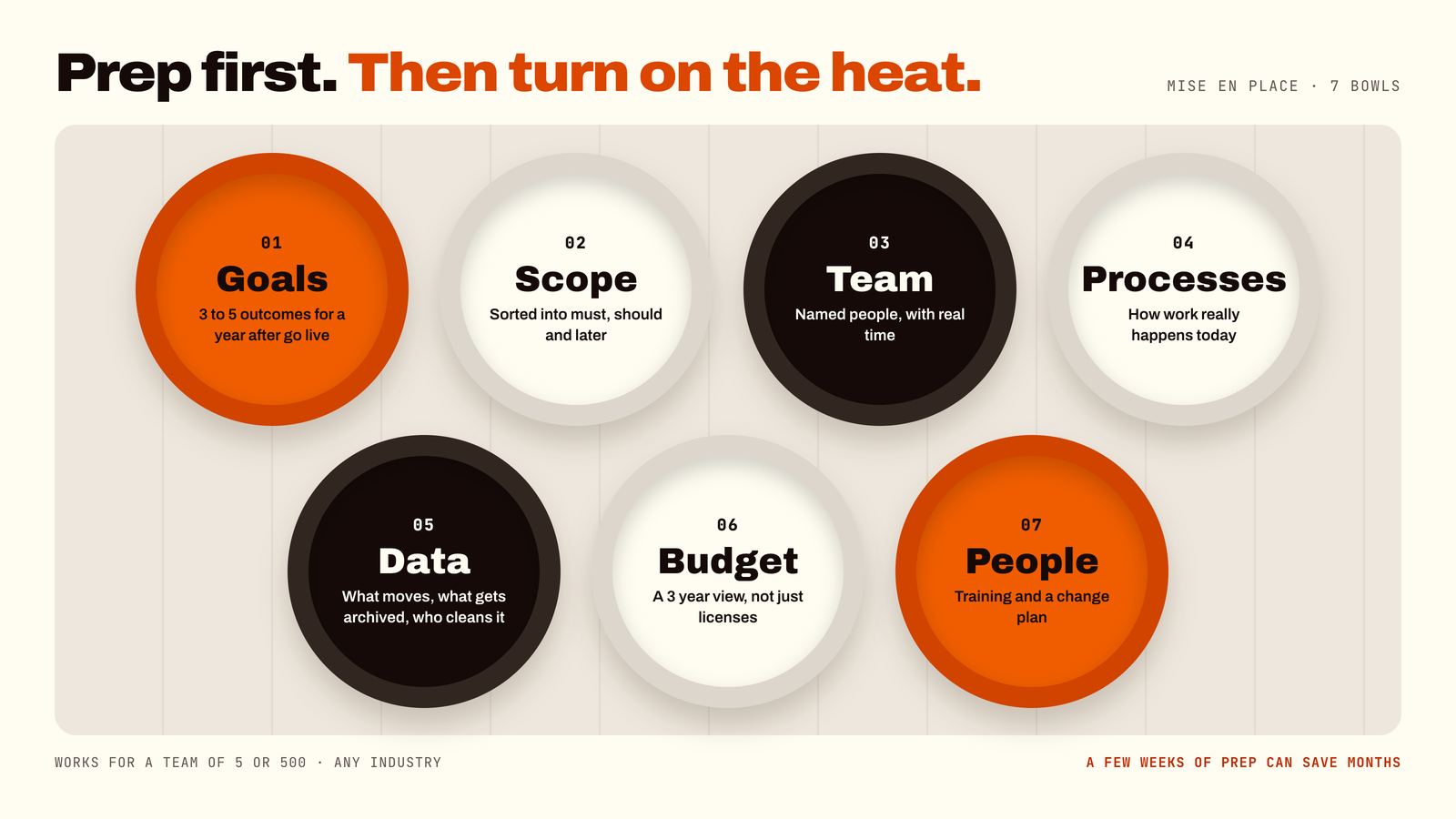
How to Prepare for a Business Central Implementation: The Pre-Flight Checklist That Saves Months
Most implementation trouble starts before the project does, with unclear goals, no owners and messy data. A few weeks of preparation can save months of rework.
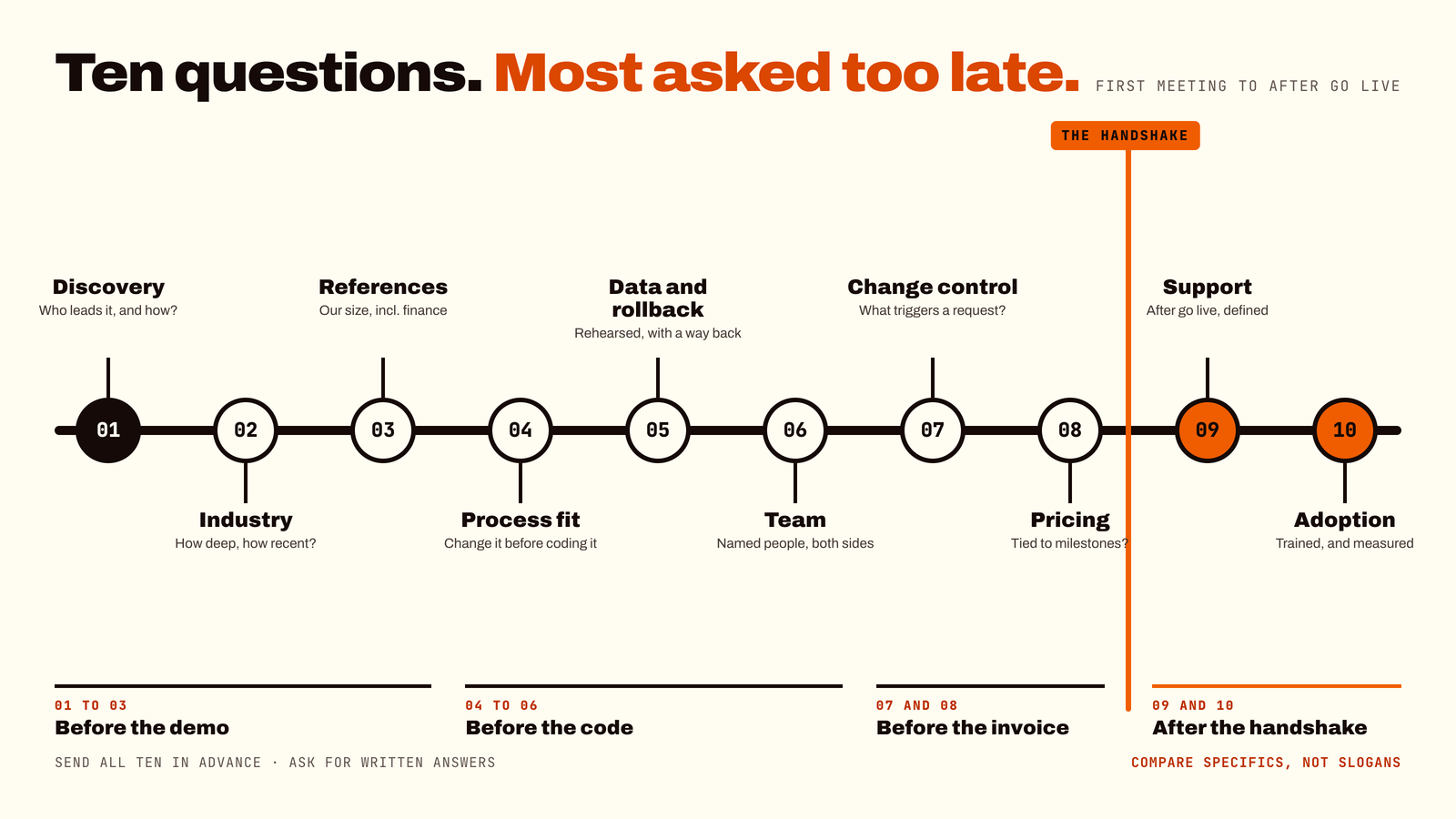
10 Questions to Ask Before Choosing a Business Central Partner (Before the Handshake, Not After)
The partner often matters as much as the software, so interview them as carefully as you would a senior hire.
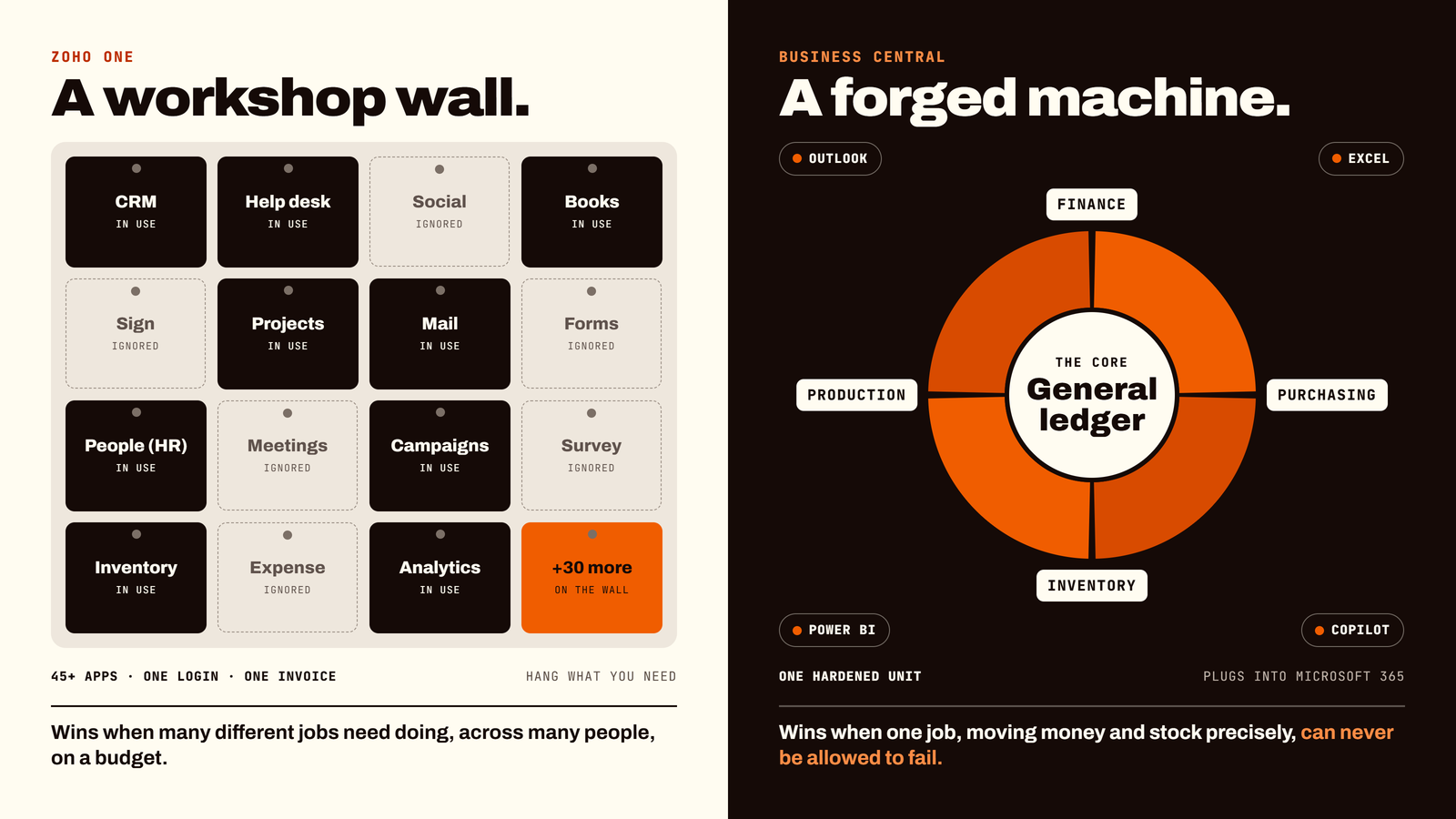
Zoho One vs Dynamics 365 Business Central: Which ERP Should You Build Your Business On?
Choosing between Zoho One and Microsoft Dynamics 365 Business Central comes down to your operational backbone.
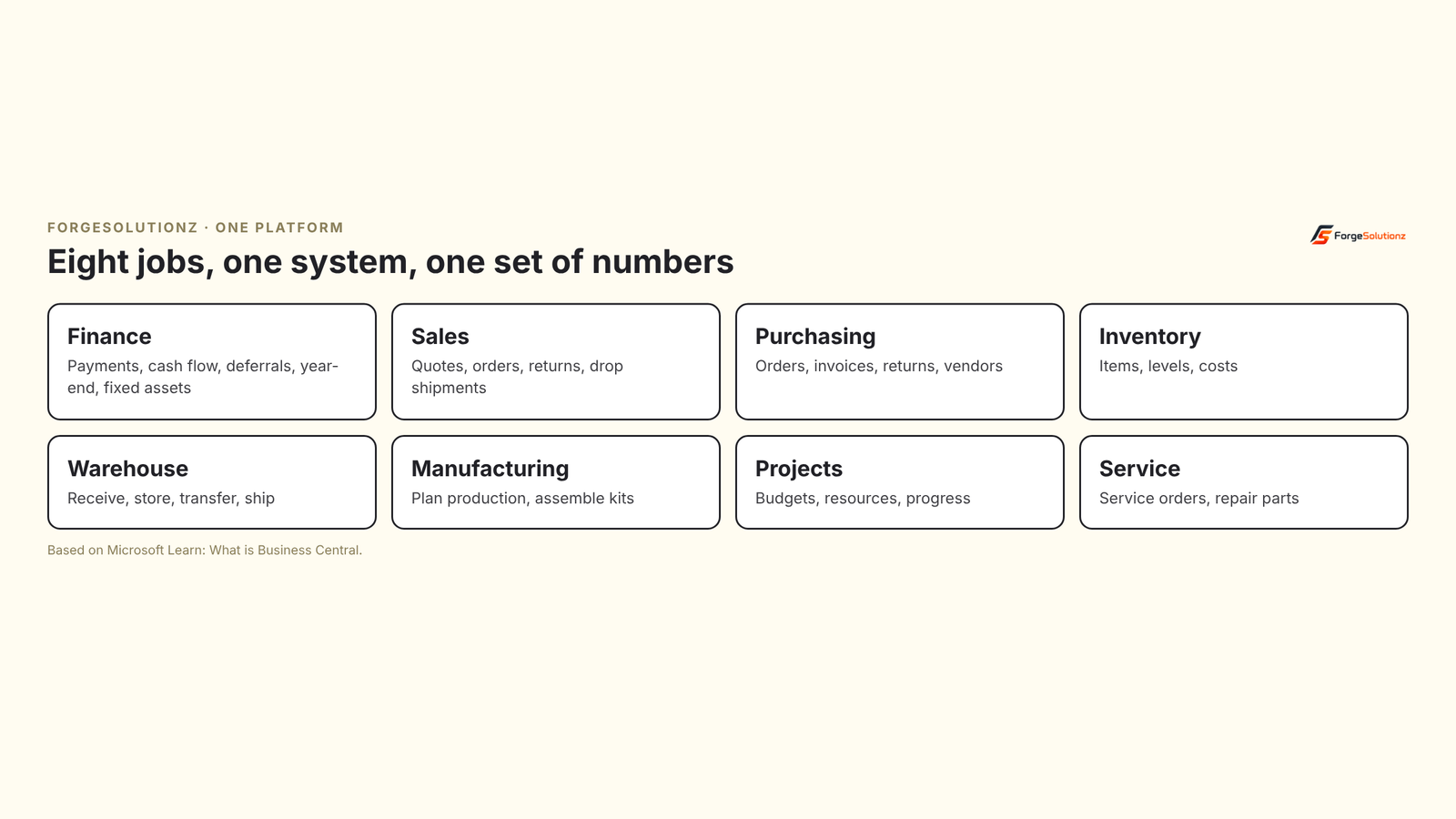
Why Business Central? An Honest ERP Comparison for Busy Decision Makers (No Jargon, Minimal Sales Fog)
Comparing Business Central with NetSuite, SAP Business One and Acumatica? Six questions to ask, what Business Central offers, and who it suits best.
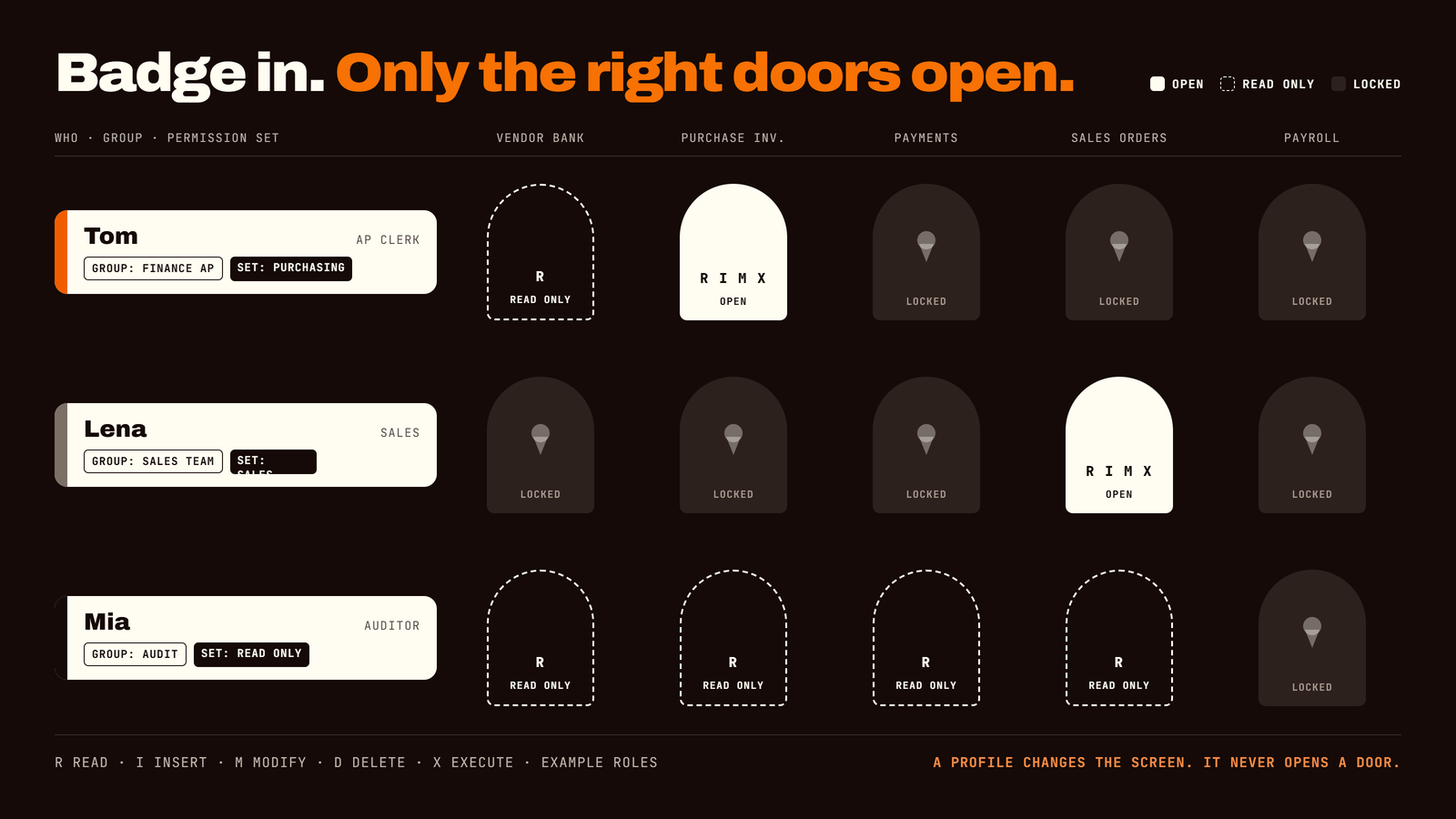
Business Central Permissions Explained: Who Can See and Do What, Without Handing Everyone the Keys
Permissions in Business Central decide who can look at, change, post or delete your business data. Set up well, they protect your finances and stay out of everyone's way. Set up badly, they end in one of two places: an audit finding, or a new hire who cannot do their job on Monday morning.
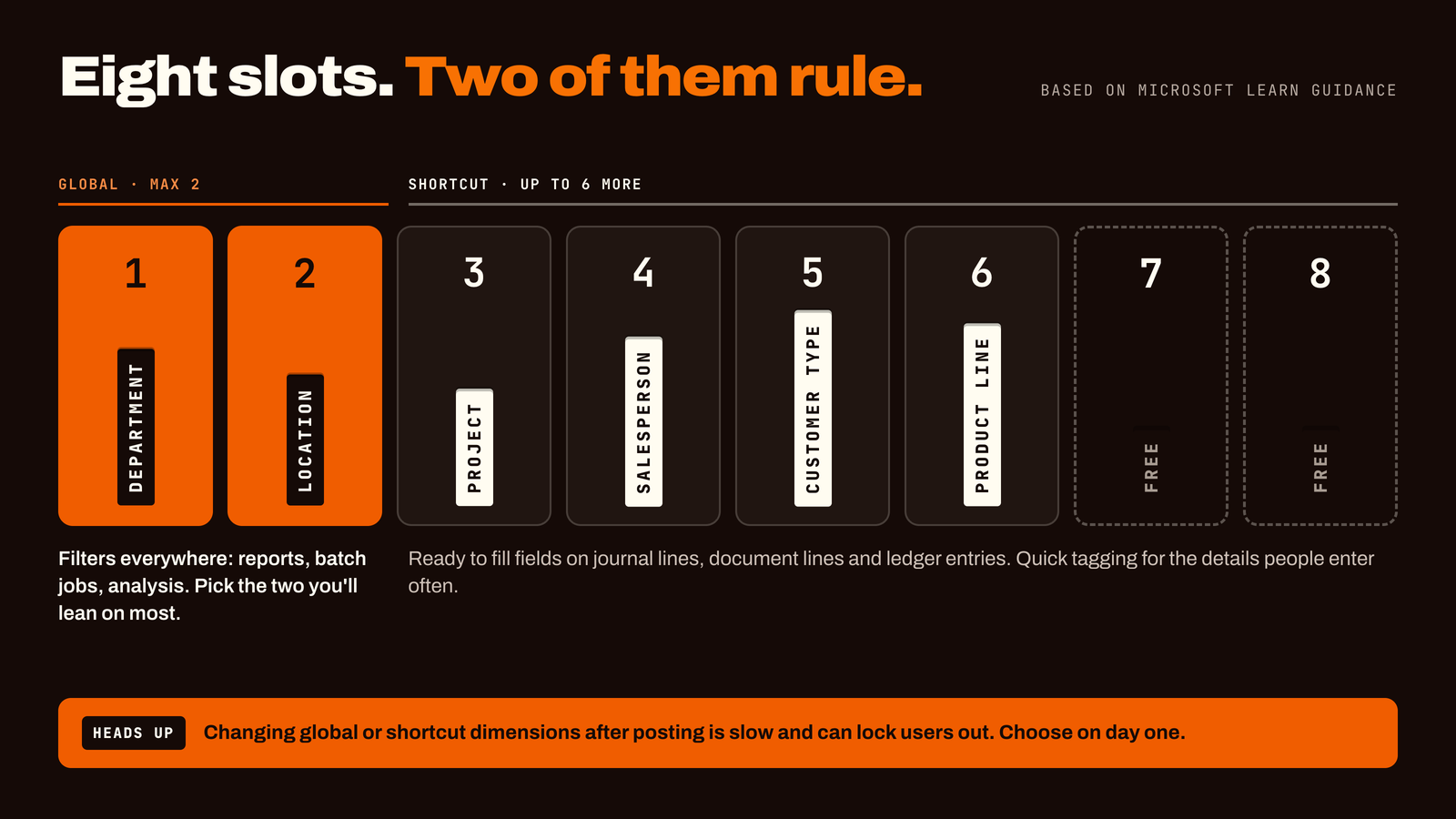
Business Central Dimensions Explained: Better Reports Without a Bigger Chart of Accounts
Dimensions are labels you attach to transactions in Business Central, such as department, project, region or salesperson. They let you answer questions like "how profitable is this project?" without creating hundreds of extra accounts. They're easy to set up and costly to change later, so the design you choose on day one matters more than almost any other finance setting.
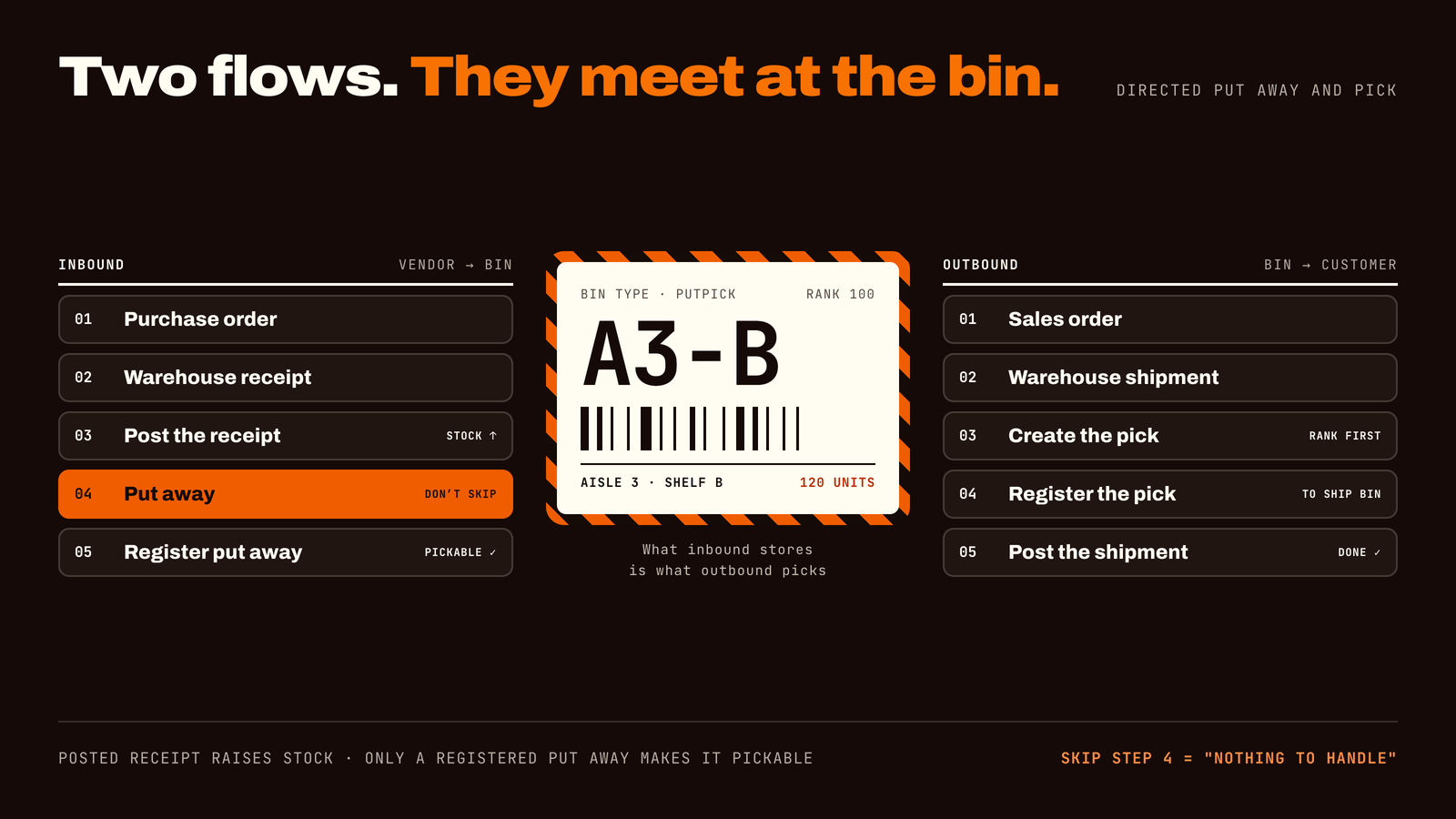
Business Central Advanced Warehouse Management: What It Is, Who Needs It and How to Get It Right
Advanced warehouse management in Business Central gives every item a place, guides your team to the right shelf and keeps your system in step with what is physically in the building. Set up well, it means fewer picking errors and stock numbers you can trust. This guide helps you tell if it's right for you.
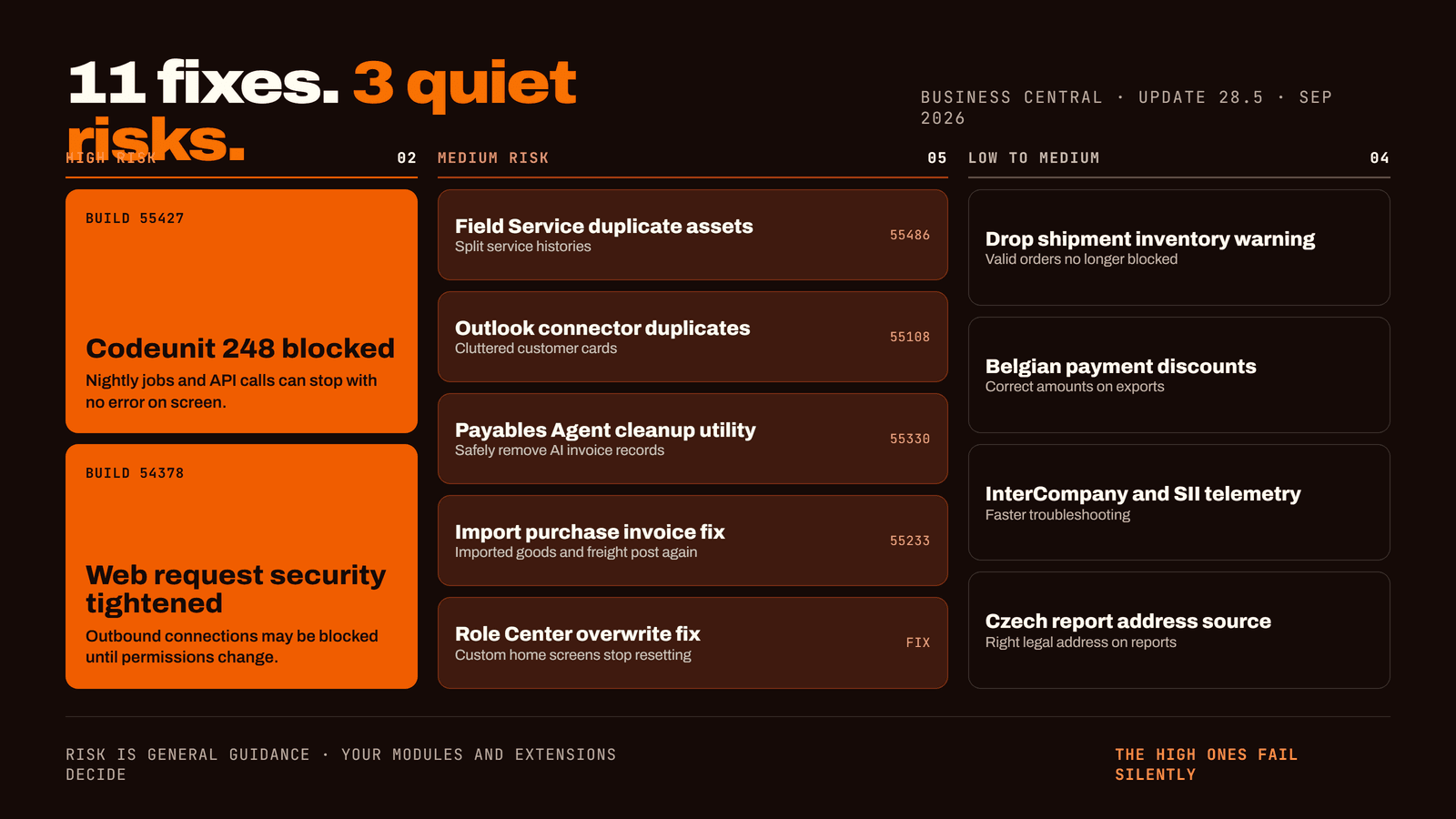
Dynamics 365 Business Central Update 28.5: 11 Fixes, 3 Risks, and What to Check First
Update 28.5 ships 11 fixes, but three of them — a blocked codeunit, tighter web request security, and new duplicate-record cleanup — are worth checking before they reach your live environment.
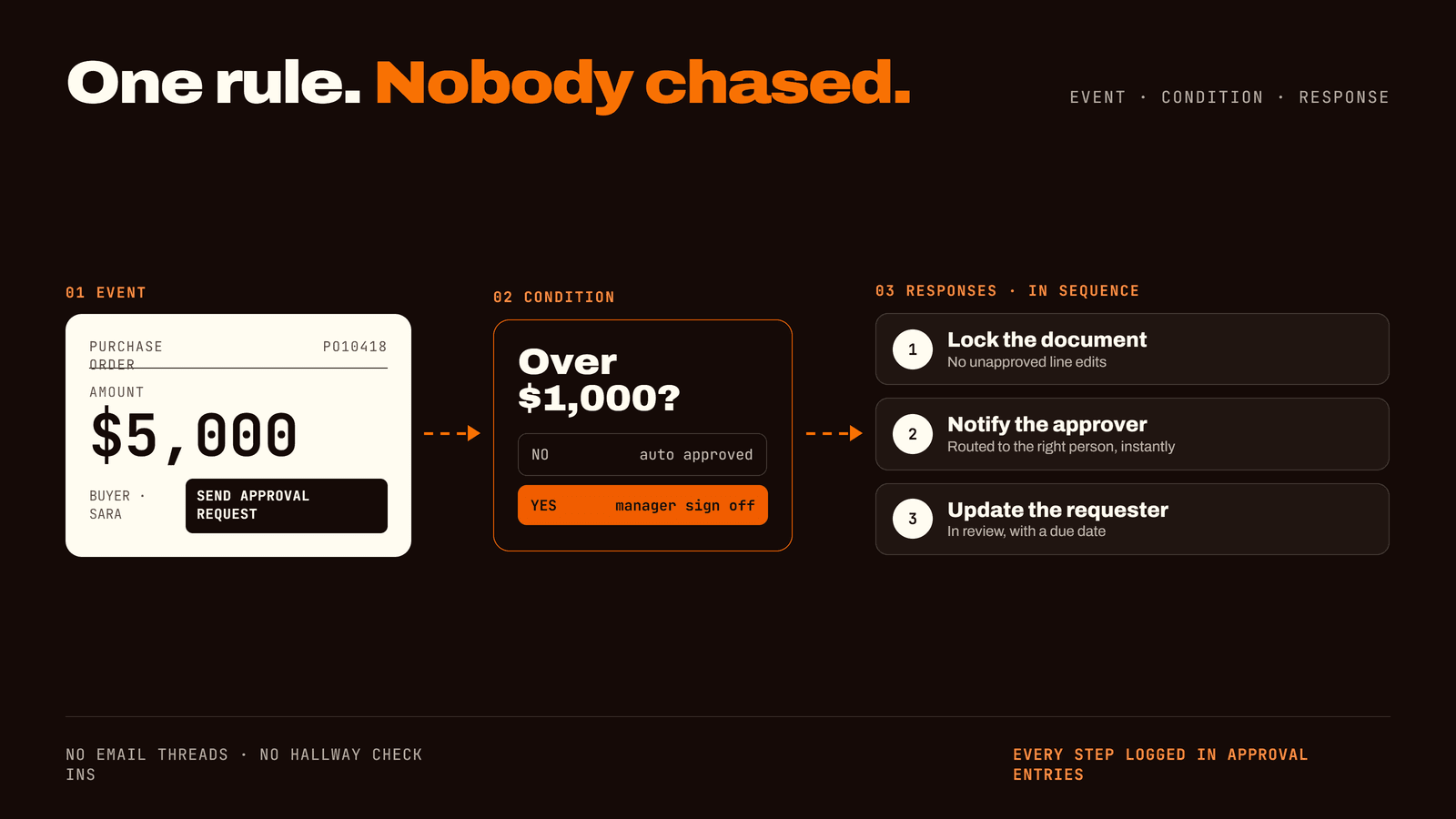
Business Central Workflows: How to Automate Approvals and Stop Chasing People
The event/condition/response model behind Business Central's native approval workflows, the four ways to route a request, and the five mistakes that turn automation into a new bottleneck.