


The quick answer
- 01Best for: small and mid-sized businesses that want finance, sales, inventory and more in one system, working with the Microsoft tools their team already uses.
- 02Not ideal for: very large enterprises with highly specialized global needs, or teams that want a system with no partner involvement at all.
- 03How to decide: compare ERPs on six questions — fit, integration, total cost, updates, flexibility and the partner behind them.
- 04Next step: test any shortlisted system with your own real processes, not a generic demo.
Every ERP demo looks great. That's the problem.
Nobody has ever sat through an ERP demo and said, "This looks terrible, let's buy it." Demos are rehearsed, data is perfect, and the person clicking never makes a typo. Real life is different. Real life has a customer who changes an order three times, a supplier who ships half, and a finance team who needs the numbers by Friday.
Choosing an ERP (the system that runs your finances, orders, stock and more) is one of the biggest decisions a business makes. People searching for "Dynamics 365 vs NetSuite" or "Business Central vs SAP Business One" are usually trying to answer one question: which one will actually work for us?
We are a Business Central partner, so you should know where we stand. We think Business Central is an excellent choice for many businesses. We also think no system is right for everyone, and that you should choose with facts rather than hype. This guide gives you both: what Business Central offers, and a fair way to compare it with anything else on your shortlist.
What is Business Central, in plain English?
Microsoft describes Business Central as a business management solution for small and mid-sized organizations that automates and streamlines business processes. In everyday terms: one system where your money, customers, suppliers, stock and projects live together, so everyone works from the same numbers.
It is adaptable too. Microsoft says companies can add functionality relevant to their region and customize it to support even highly specialized industries. That matters, because no two businesses run exactly the same way.
Six questions to ask any ERP (including this one)
Feature lists look impressive and tell you almost nothing. These six questions tell you much more, and they work for every vendor on your list.
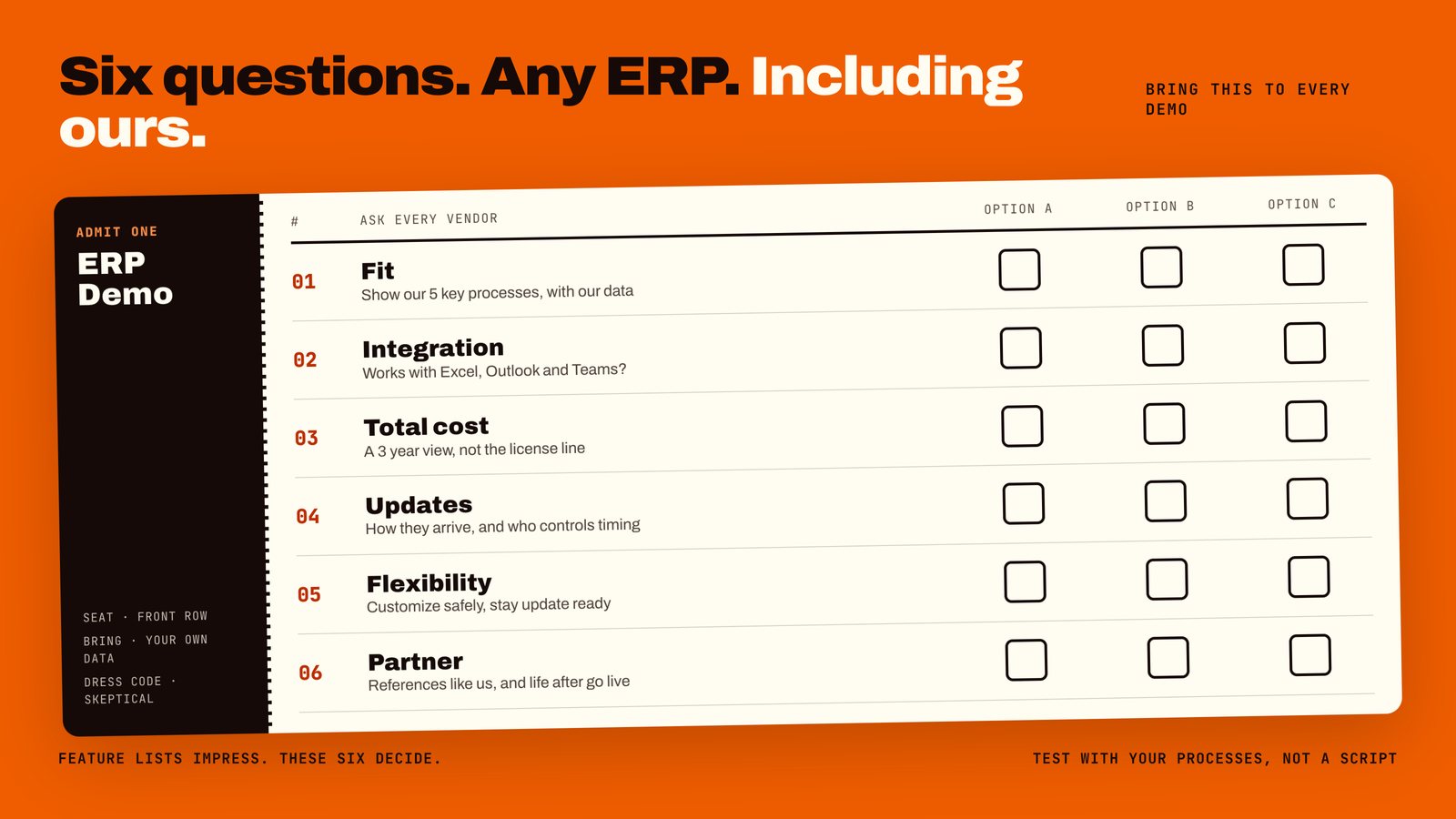
1. Does it fit how we really work?
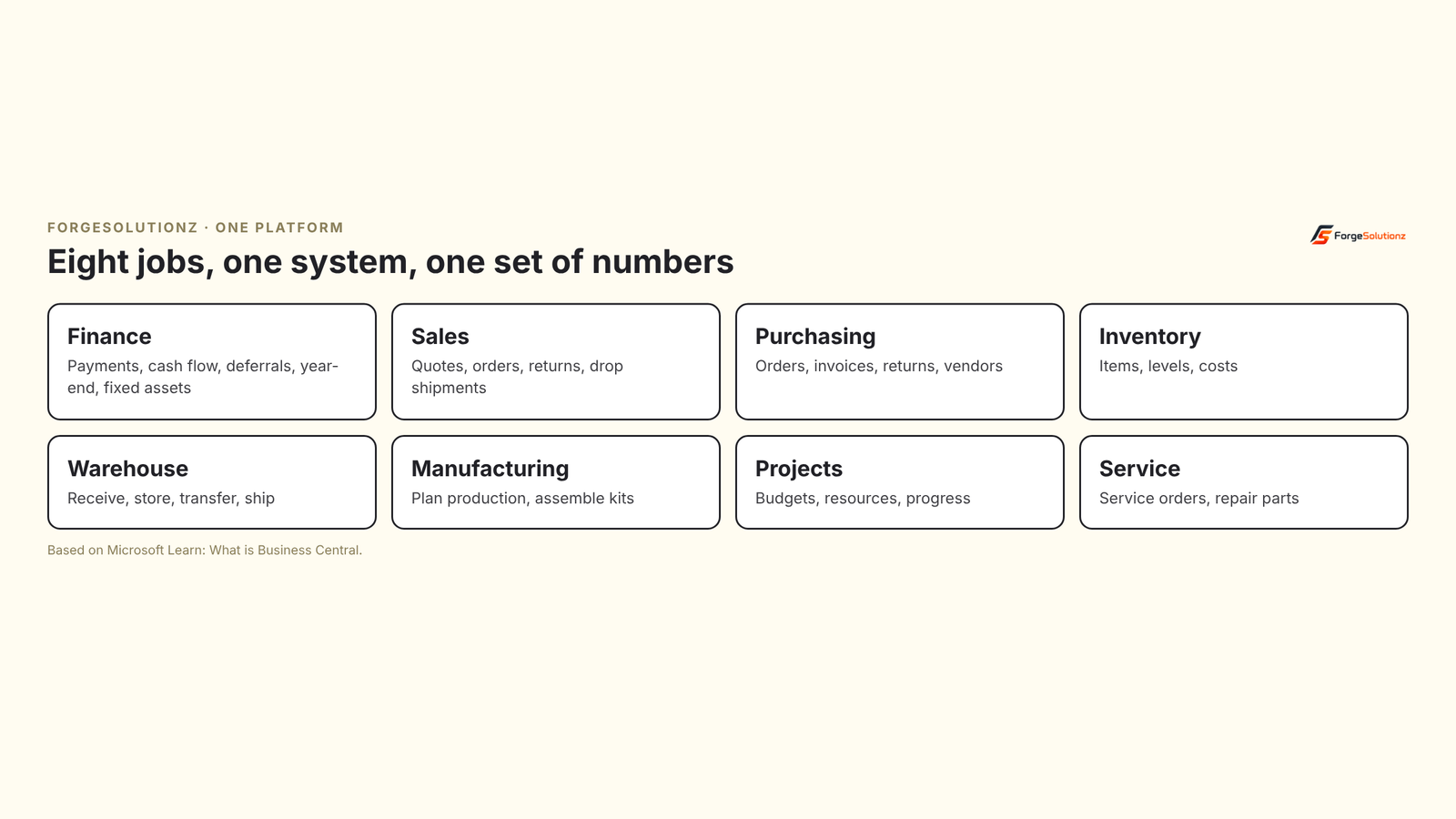
Process fit beats feature count. List your five most important daily processes, such as quoting, receiving stock or month-end close. Ask each vendor to show those, with your data. Business Central covers finance, sales, purchasing, inventory, warehouse management, manufacturing and assembly, projects and service in one product, so many businesses can run these processes without stitching separate tools together.
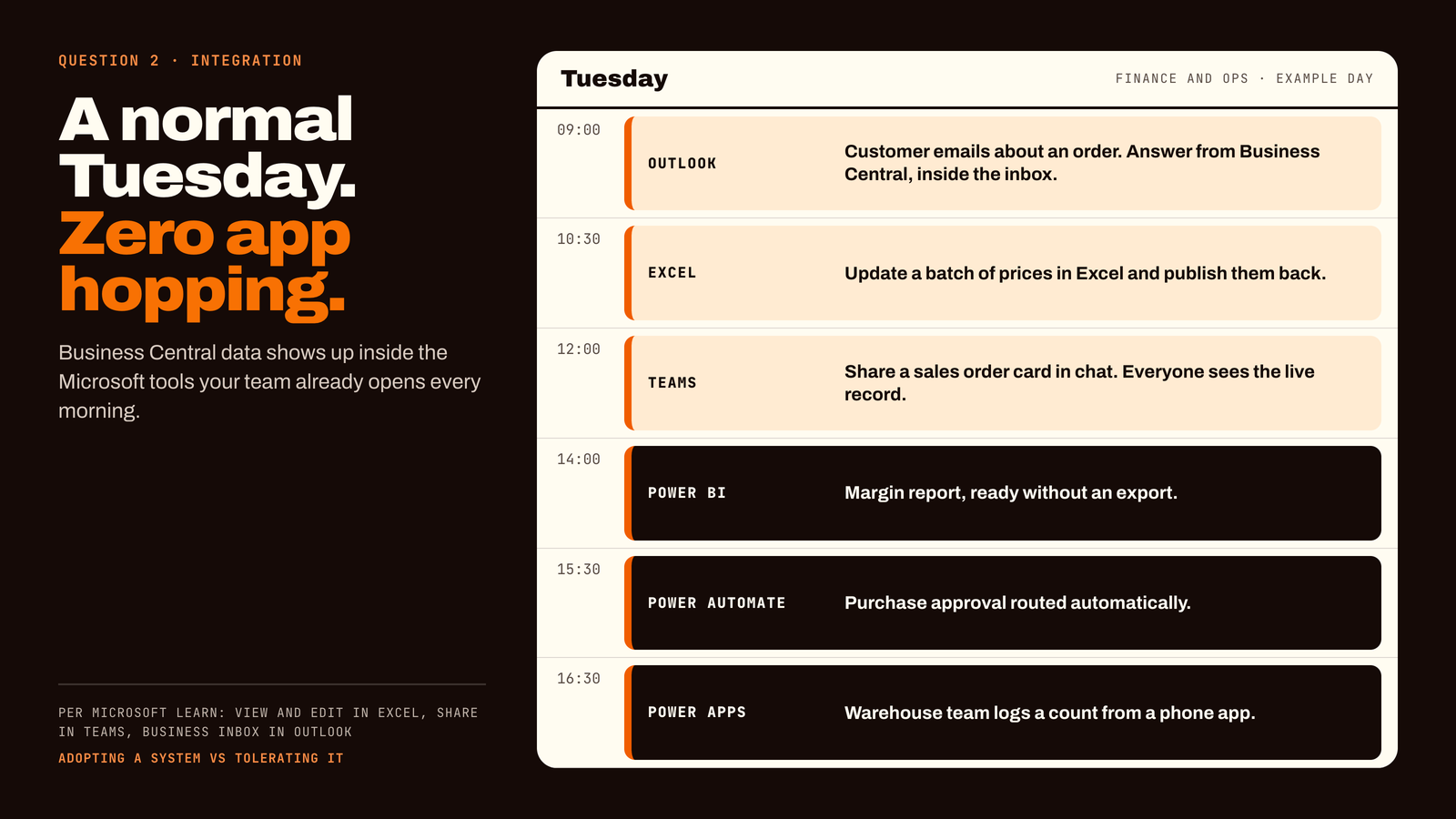
2. Will it work with the tools we already use?
This is where Business Central stands out for businesses that live in Microsoft tools. Microsoft says data is delivered directly into familiar apps such as Outlook, Excel and Teams, so people get information without switching between applications. You can view and edit data in Excel, share records in Teams and use Business Central as a business inbox in Outlook.
It also connects to the Power Platform: Power BI for reports, Power Automate for workflows and Power Apps for custom apps. For a finance team that loves Excel (which is most finance teams), this is not a small detail. It is the difference between adopting a system and merely tolerating it.
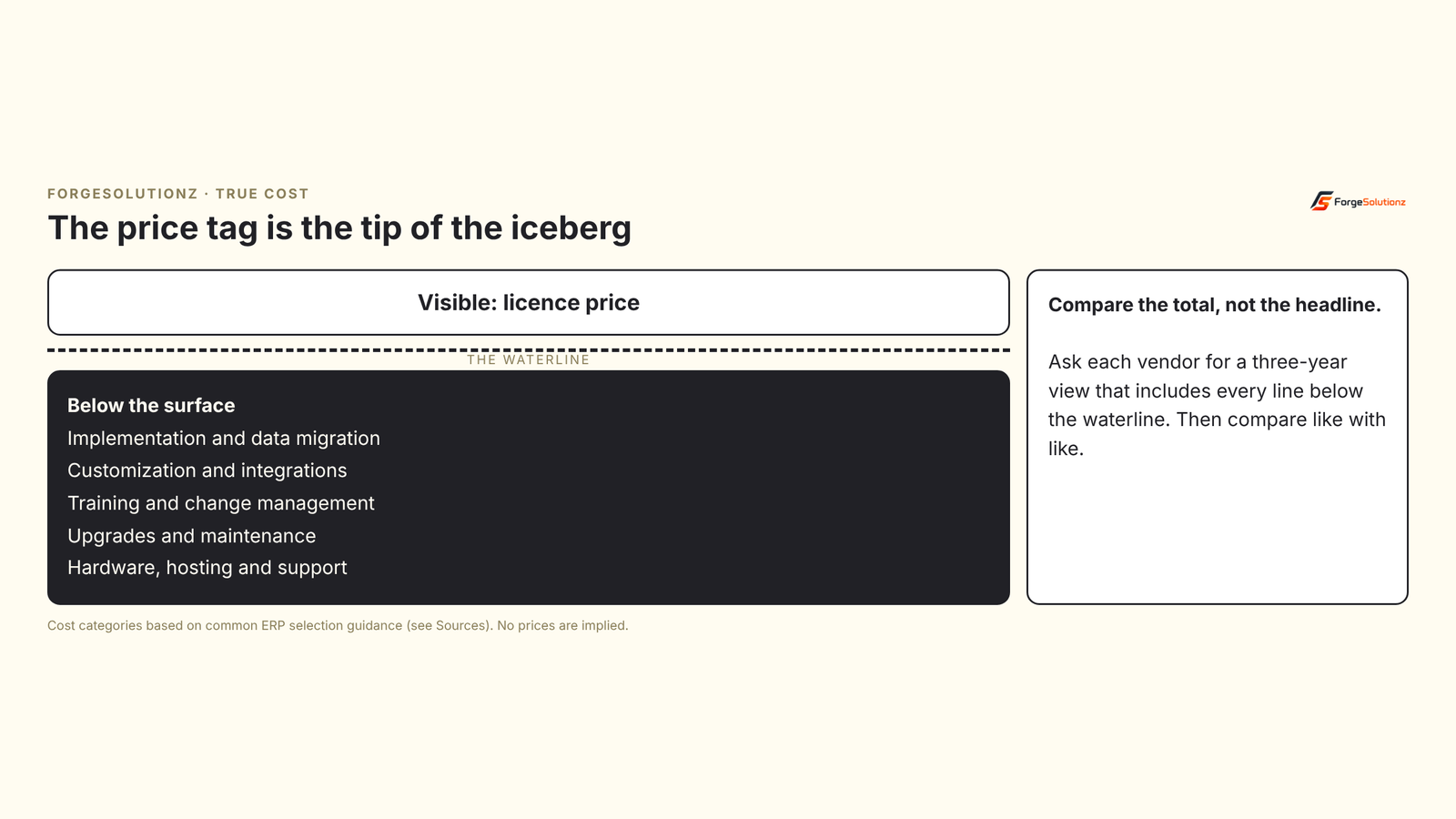
3. What is the full cost, not the headline price?
Licenses are the visible part. Below the waterline sit implementation, data migration, customization, training, upgrades and support. Ask every vendor for a three-year view that includes all of it, then compare like with like. Be wary of anyone who quotes only the license.
4. How do updates arrive?
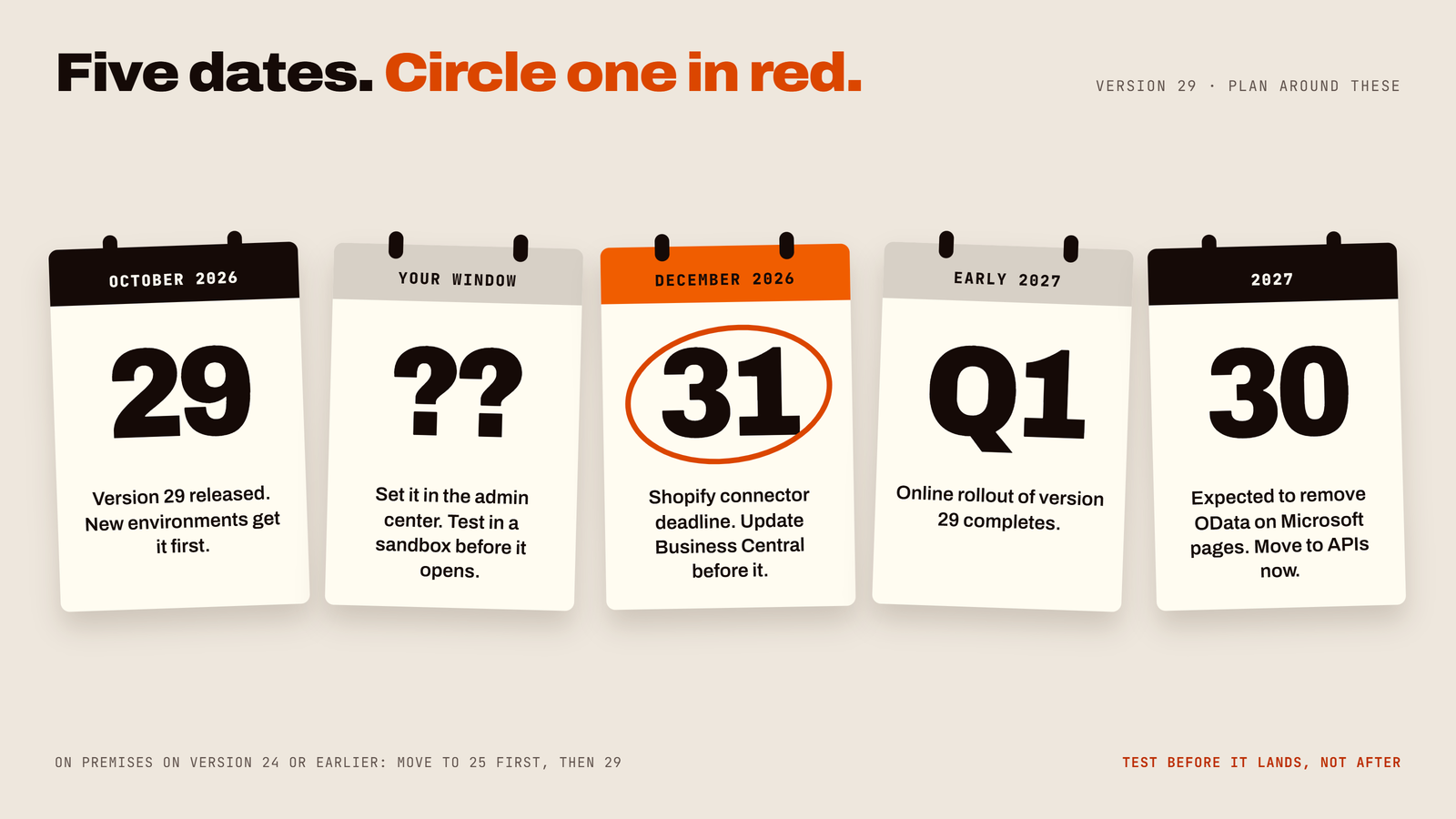
An ERP that is painful to update gets postponed, and a system that is never updated slowly becomes a problem. Microsoft states that Business Central online has two major updates a year, in April and October, and minor updates in the other months. Administrators control when: they can set a maintenance window for each environment and reschedule an update within the update period. Microsoft describes the updates as continuous and touchless.
That does not mean updates need no attention. If your system has custom extensions, they should be tested before an update lands. A good partner builds that into the routine.
5. Can we change it safely?
Your business will change, and so should your ERP. Ask how customizations are built, tested and kept compatible with updates. Business Central is designed to be extended, and it is common to add what your business needs, such as a custom approval, a margin control or a tailored report, without rebuilding the product. How well that works depends heavily on how well it is done, which brings us to the last question.
6. Who will guide us?
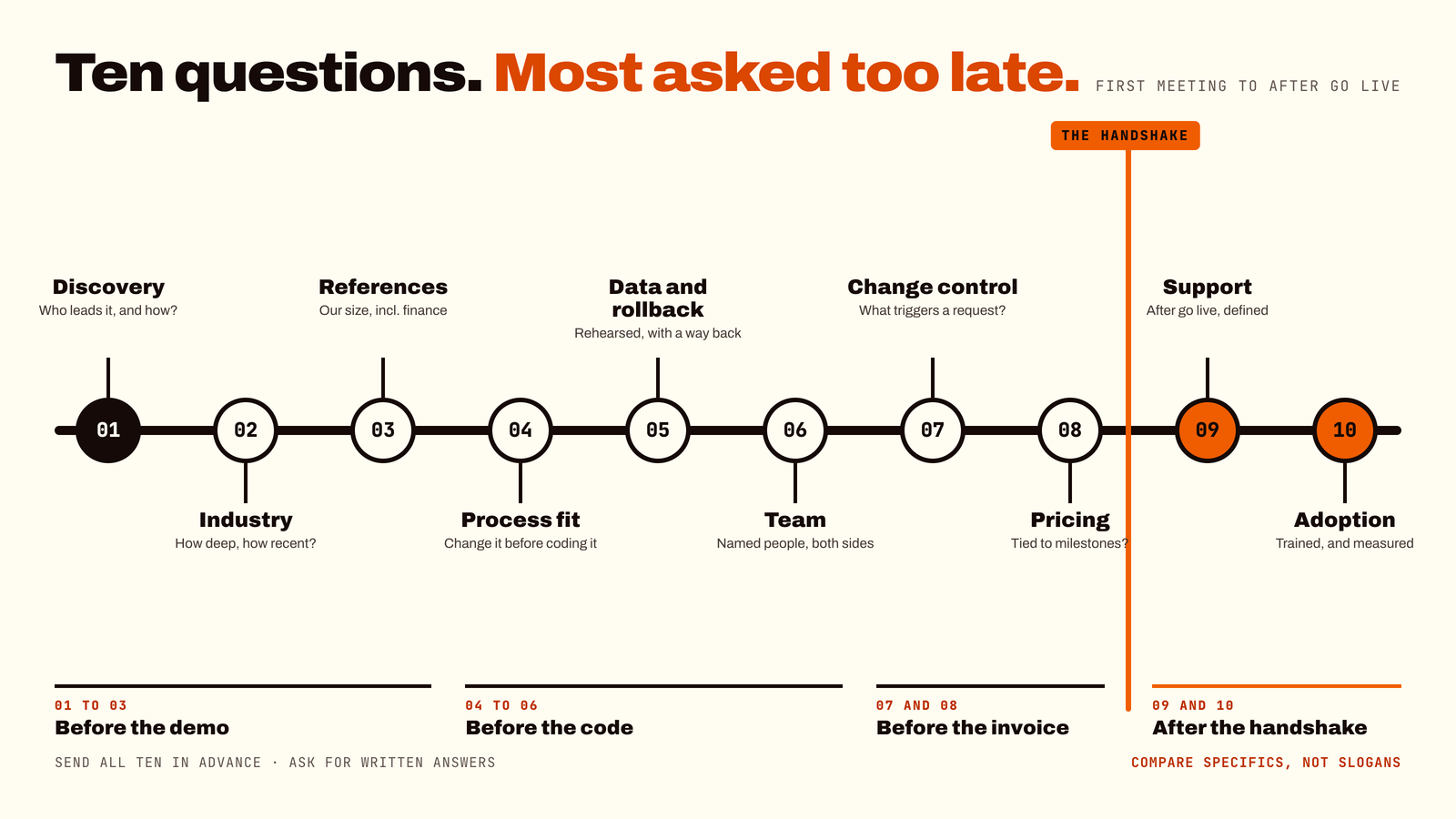
The software matters, and so does the team that sets it up. Ask for references from businesses like yours. Ask who will do the work, how they train your people, and what happens after go-live. A strong partner on a good system beats a great system with an absent partner.
How Business Central compares with other popular ERPs
You will probably also look at NetSuite, SAP Business One, Acumatica and others. They are real products with real strengths, and several are a great fit for the right business. We will not claim that Business Central beats every one of them on every point, because no honest comparison can.
What we can tell you is where to look for the differences:
- 01Ecosystem fit. If your team lives in Excel, Outlook and Teams, check how deeply each system works with them.
- 02Industry fit. Ask each vendor, and their partner, to show your industry's real processes, not a generic demo.
- 03Cost over three years. Ask for the same scope from every vendor, so the numbers can actually be compared.
- 04Partner depth. Compare the people who will implement it, not just the product.
- 05Growth path. Ask what happens when you add a company, a country or a warehouse.
Our advice: be suspicious of any page, including one from us, that says one ERP is superior in every category. The right answer is the one that fits your processes, your people and your budget.
What about AI?
Microsoft says Business Central offers intuitive AI tools for small and medium-sized organizations. Examples listed on its overview page include Copilot features such as Analysis Assist, autofill, bank reconciliation help, chat, and a Sales Order Agent that automates creating sales orders. Features and availability change between releases and regions, so check what is available for your version and country before you plan around any of them.
A useful way to judge any ERP's AI is to ask it a simple question: which task will this save my team time on, this month? If the answer is vague, it is a feature for the brochure, not for your Tuesday.
Who Business Central suits best
- 01Small and mid-sized businesses in wholesale, distribution, manufacturing, retail and professional services.
- 02Teams already using Microsoft 365, who want their ERP to feel familiar.
- 03Growing companies that need finance, inventory and operations in one place.
- 04Businesses that expect to adapt the system over time.
It may not be the right fit if you are a very large enterprise with highly specialized, global requirements, or if your industry already has a dedicated system built specifically for it. Saying so is part of being a partner you can trust.
Frequently asked questions
- 01Is Business Central better than NetSuite? Neither is better for everyone. Compare them on process fit, integration with your tools, three-year total cost and the quality of the implementation partner. Business Central tends to appeal to teams that work heavily in Microsoft tools, while the right answer for you depends on your needs.
- 02Is Business Central only for small businesses? Microsoft positions it for small and mid-sized organizations. It supports more complex processes too, such as assembly, manufacturing, service and directed warehouse management.
- 03How often does Business Central update? Online customers get two major updates a year, in April and October, plus minor updates in the other months. Administrators can set maintenance windows and reschedule updates within the update period.
- 04Can Business Central be customized? Yes. It can be extended to support specific regions and industries. A good partner will test customizations before each update.
- 05Does Business Central work with Excel and Power BI? Yes. You can view and edit data in Excel, and use built-in Power BI reports and the wider Power Platform.
- 06How long does implementation take? It depends on your size, data and processes, so be cautious about anyone who promises a number before understanding your business. A good partner will give a plan after a short discovery.
Two-minute ERP readiness check
Tick what is true for your business today:
- 01We can list our five most important daily processes.
- 02We know which tools our team must keep using, such as Excel or Outlook.
- 03We have a three-year budget view, not just a license number.
- 04We know who in the business will own the project.
- 05We have asked each vendor for references from similar companies.
- 06We plan to test with our own data, not a demo script.
Fewer than four ticks? A short discovery session is the fastest way to fix that.
Key takeaways
- 01Choose an ERP by fit, integration, total cost, updates, flexibility and partner.
- 02Business Central combines finance, sales, inventory, warehouse, manufacturing, projects and service in one system.
- 03Its link to Excel, Outlook, Teams and Power BI is a real advantage for Microsoft-centred teams.
- 04Online updates come in April and October, with minor updates between, and administrators control the timing.
- 05Distrust any claim that one ERP wins every category, including ours.
- 06Test with your own processes before you decide.
Not sure which ERP fits your business?
At ForgeSolutionz, our Business Central specialists will walk through your processes and tell you honestly whether Business Central fits, even if the answer is no. We'll map your five key processes to what Business Central does today, give you a clear three-year cost outline, and show a live demo using your kind of data. No obligation — you'll leave with a clear next step, even if you never work with us.
Book a consultation