


The quick answer
- 01The idea: most implementation trouble starts before the project does, with unclear goals, no owners and messy data.
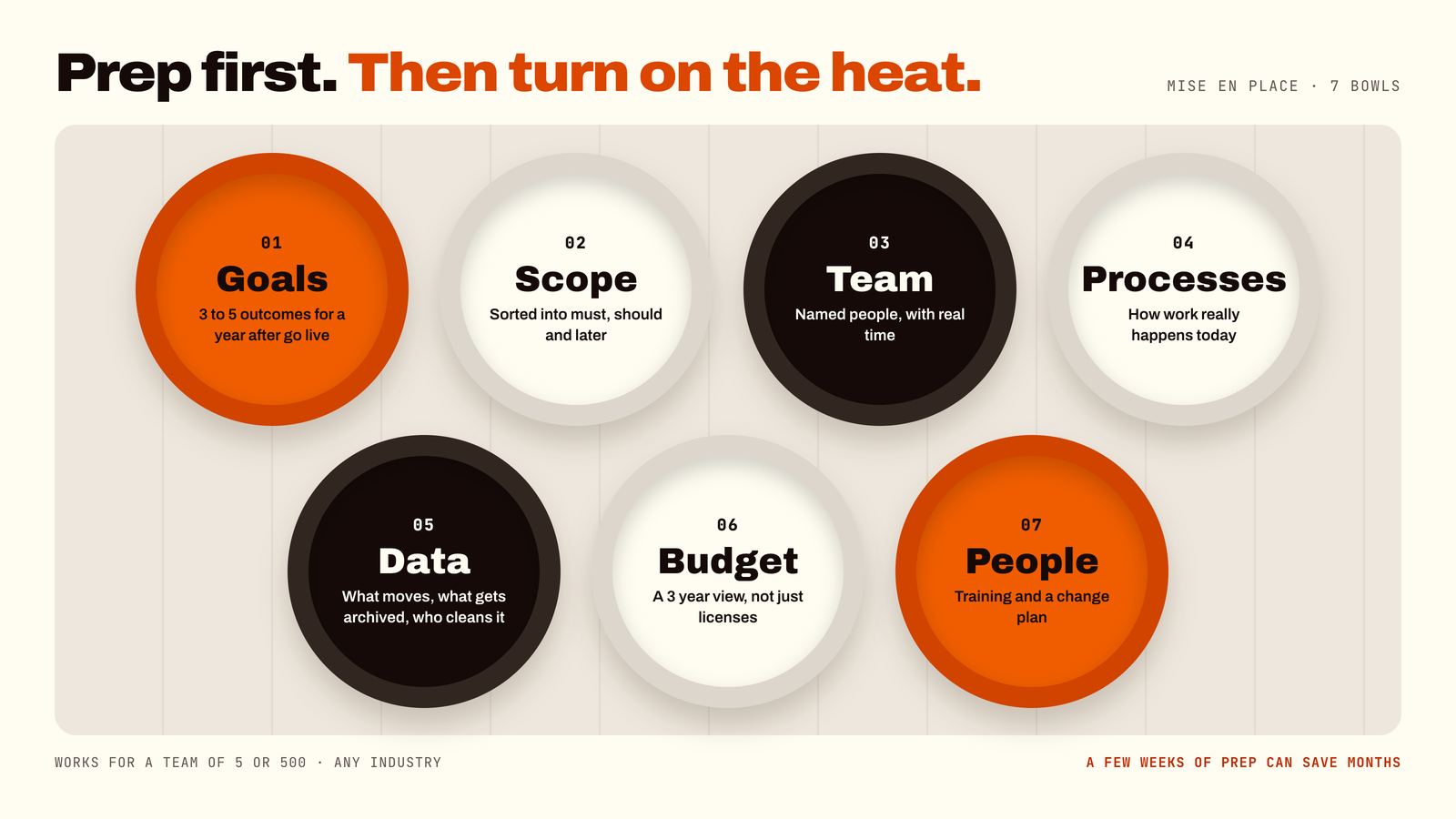
- 02The checklist: goals, scope, team, processes, data, budget and a change plan.
- 03Your biggest levers: early decisions in the first phases, and serious testing in the last ones.
- 04Time to invest: a few weeks of preparation can save months of rework.
Why the best implementations are won before they start
Nobody ever says "we prepared too much for our ERP project." People say things like "we didn't realize we needed that decision in week two" and "nobody told me I was supposed to test it." The preparation is the unglamorous part, a bit like flossing. Everyone knows they should. The ones who do are happy later.
This guide gives you a practical, jargon-free way to get ready for a Business Central implementation, whether you are a team of five or five hundred. It works for any industry, because the preparation is about your business, not your software.
The seven-point pre-flight checklist
1. Define your goals
Start with a simple question: what must be better a year after go-live? Faster month-end? Accurate stock? Fewer spreadsheets? Write down three to five outcomes. Implementation guides consistently put objectives and scope first, because every later decision gets easier when you know what you are aiming at.
2. Set the scope, and sort it
Scope is the list of what is in. The danger is that everything feels essential. Sort every request into three boxes: must have on day one, should have soon after, and later.
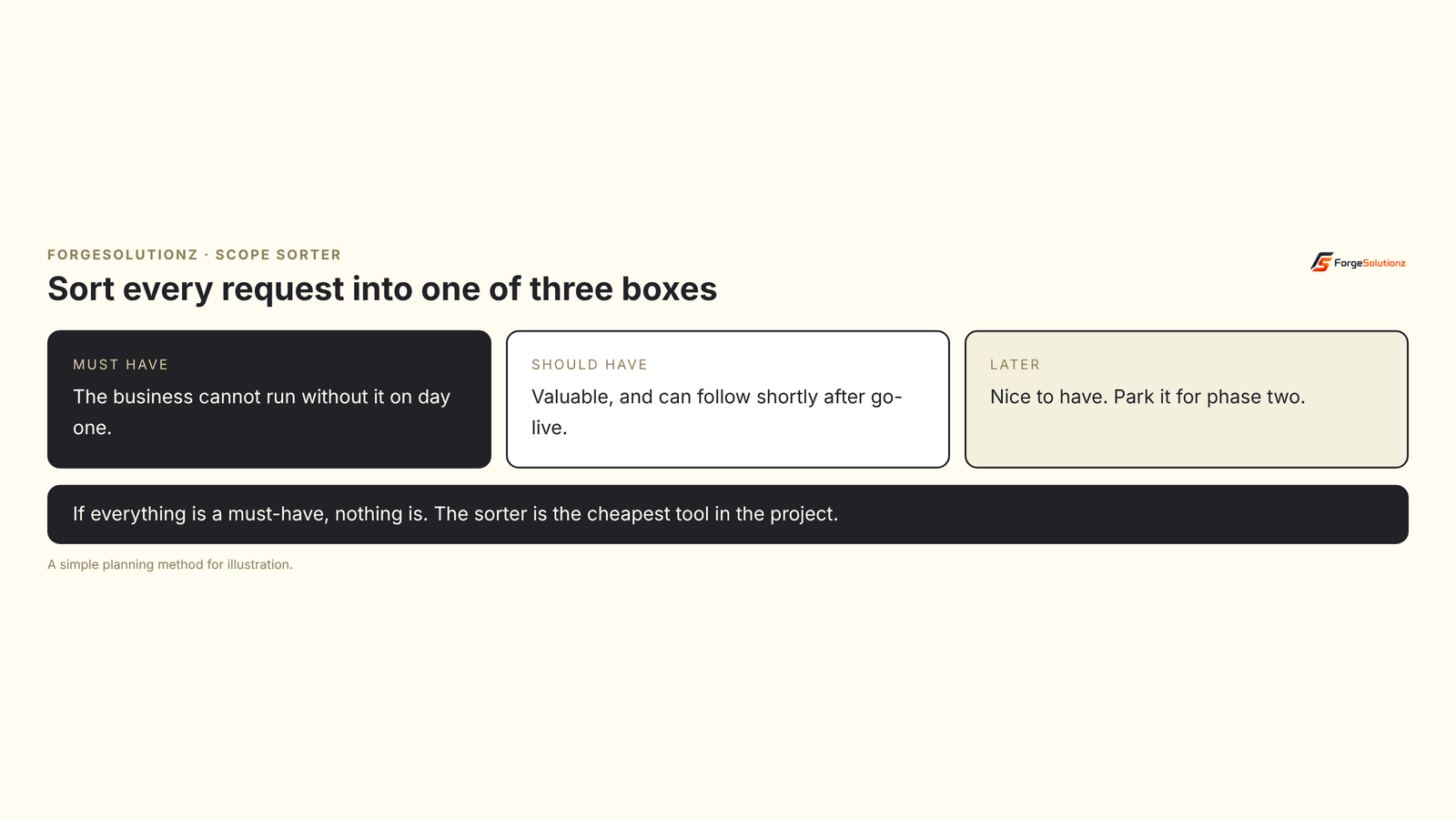
Scope grows quietly. Agree how new requests will be handled before the project starts, so "one little thing" does not become fifty little things.
3. Build the team
Assemble stakeholders from across the business: leadership, finance, operations, IT and the people who will use the system every day. Name them, and give them real time, not leftover time.
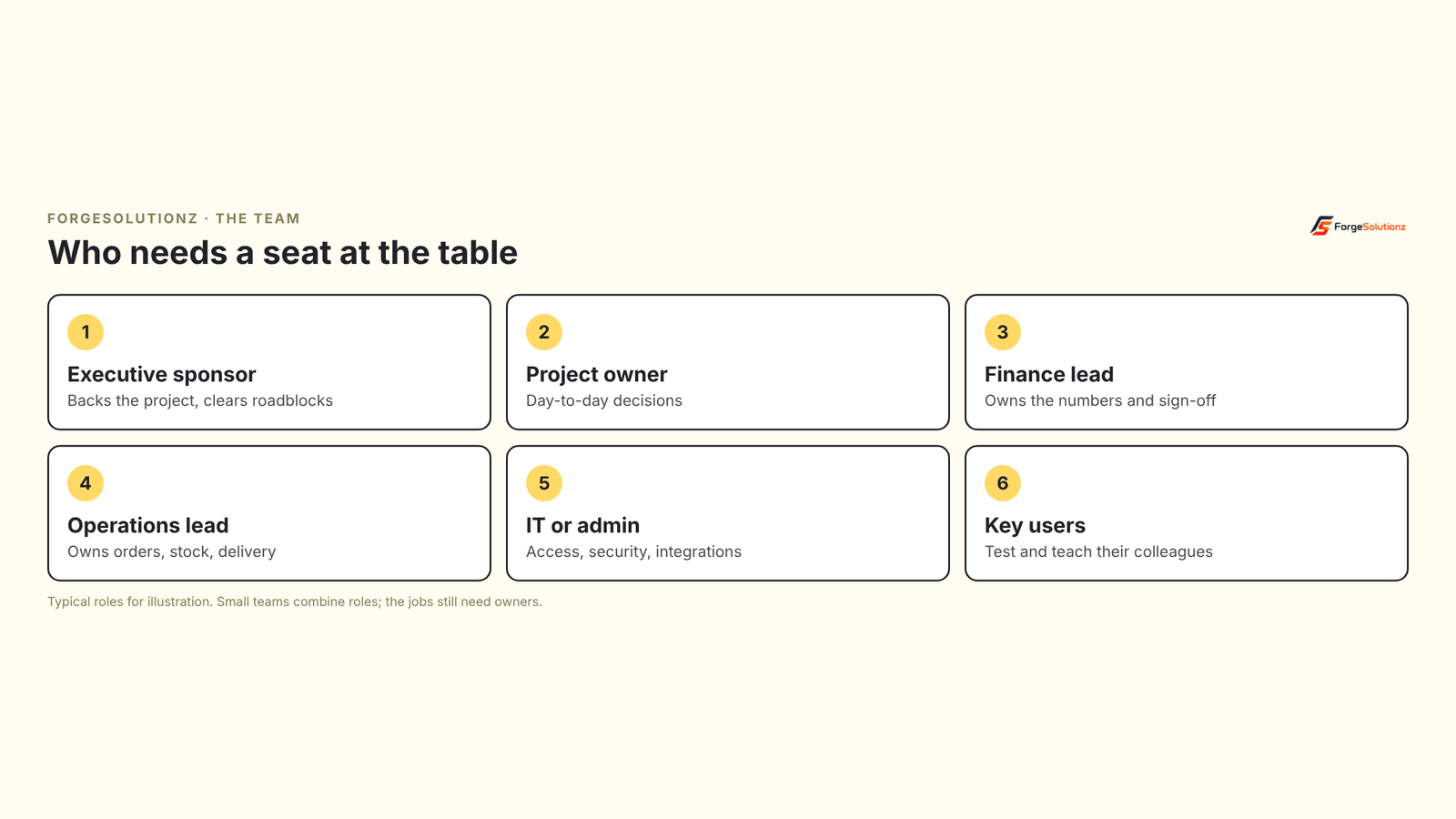
The single most useful role is the project owner: one person who can make decisions or get them made quickly. Projects slow down when every question needs a committee.
4. Review your processes
Write down how work really happens today, not how the manual says it should. Quote to cash, procure to pay, month-end close, stock counts. You will find steps nobody remembers the reason for. Some are good. Some exist because of a decision made in 2014 by someone who left in 2015. A process review is the moment to keep the good and drop the rest.
It also helps to ask a partner to show you standard Business Central processes before you decide anything needs custom work. Changing a process is usually cheaper than customizing software.
5. Plan your data
Data migration deserves its own plan. Decide what moves, what gets archived and what gets cleaned. Open items such as unpaid invoices and current stock must be live on day one. Years of history can often stay archived. Cleaning needs business knowledge, so involve the people who know which customers and products are real.
Ownership matters. Responsibility for the accuracy of your data sits with your organization, not the delivery partner, and finance should sign off key balances before go-live.
6. Know the full budget
Think beyond licenses. Count implementation, data migration, any customization, training, integrations, and support after go-live. Ask for a three-year view, and keep a modest cushion for the things you discover along the way.
7. Plan for people
Software does not fail on its own. Adoption does. Plan training for every user, decide who the go-to helpers are in each team, and tell people early what is changing and why.
What happens during the project
Microsoft's Success by Design guidance describes five phases that work with any implementation method: Discover, Initiate, Implement, Prepare and Operate. Knowing them helps you plan your own time.
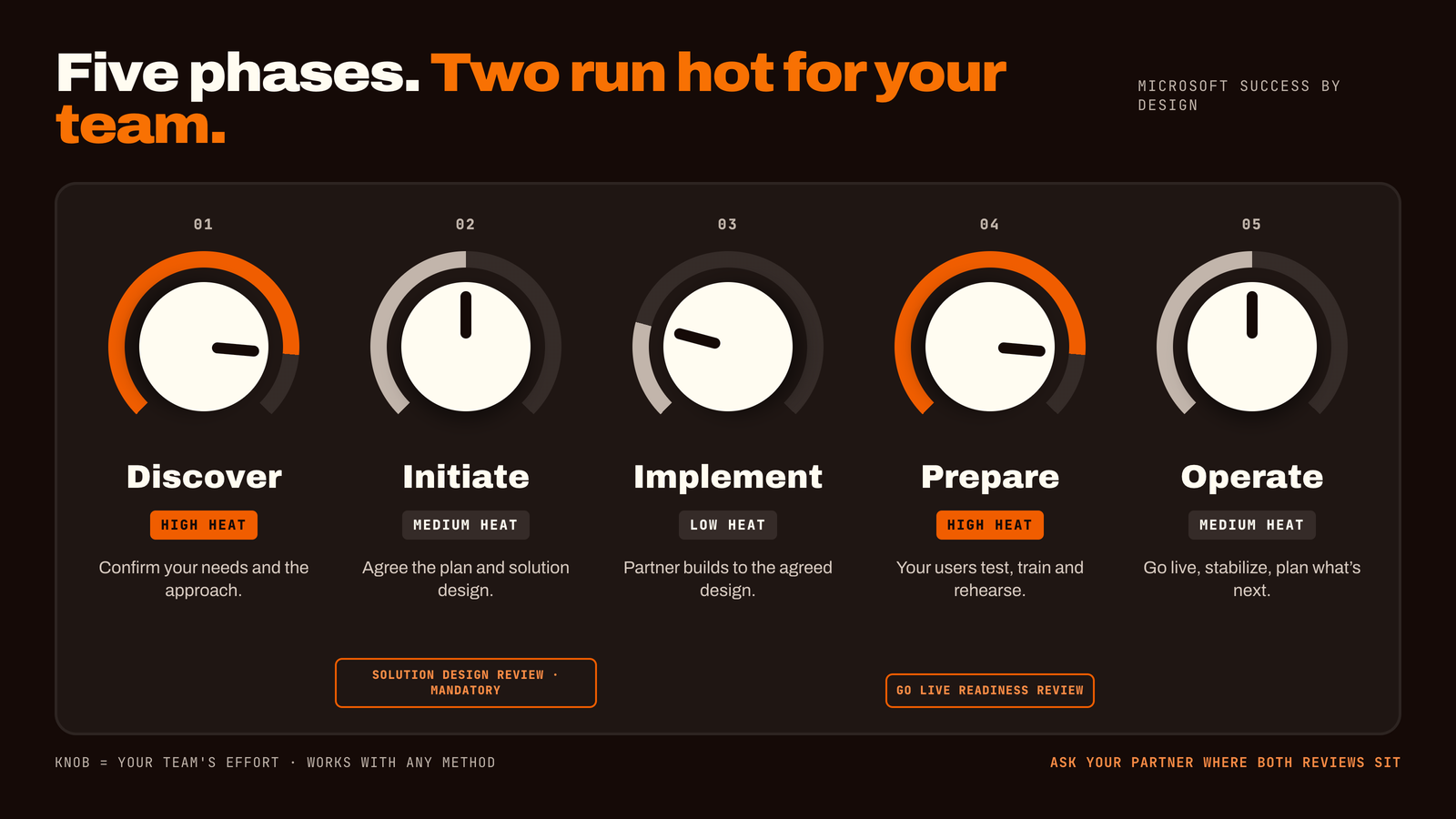
- 01Discover: confirm your needs and the overall approach.
- 02Initiate: agree the plan and the solution design.
- 03Implement: build to the agreed design, including security, integrations and testing.
- 04Prepare: user acceptance testing, training, go-live criteria and rehearsals.
- 05Operate: go live, stabilize, and plan what comes next.
Two points from Microsoft's guidance are worth highlighting for any customer. First, a review of the solution design near the start is considered mandatory, so ask your partner how they do this. Second, a go-live readiness review is the final check for remaining risks, so make sure it is on the plan.
Common mistakes (and how to avoid them)
- 01Treating it as an IT project. It is a business project that needs IT. Finance and operations must be in the room.
- 02Skipping process review. Copying old habits into a new system wastes the opportunity.
- 03Underestimating data clean-up. It is almost always bigger than expected.
- 04Testing too little, too late. Real users should test real tasks, including performance with realistic volumes.
- 05Forgetting training. A great system that people avoid is an expensive spreadsheet.
- 06No plan for after go-live. The first weeks need extra support.
Frequently asked questions
- 01How long does it take to prepare for a Business Central implementation? It depends on your size and readiness. Many businesses spend a few weeks on goals, scope, team, process review and a data plan. A good partner will help you set a realistic timeline.
- 02Who should be on the project team? Leadership sponsor, a project owner, finance and operations leads, IT or admin, and key users from each department. Small businesses combine roles.
- 03Do we need to clean our data first? Yes, at least the data you plan to move. Cleaning before migration saves time and avoids carrying errors into the new system.
- 04Should we customize Business Central? Start with standard features and only customize where a real need remains. This keeps cost and upgrade effort lower.
- 05What is the biggest risk? Unclear ownership and unclear scope. Projects with a named owner and an agreed scope are easier to steer.
- 06What happens after go-live? Extra support while users settle in, then regular reviews and updates. Ask your partner what their support covers.
Two-minute readiness check
Tick what is true for your business today:
- 01We can state three to five goals for the project.
- 02We have a sorted list of must-haves, should-haves and later items.
- 03Every key role has a named person with time set aside.
- 04We have documented how our main processes really work.
- 05We have a plan for which data moves and who cleans it.
- 06We have a three-year cost view, not just a license price.
- 07We have a training and communication plan.
Fewer than five ticks? You are not behind, you are exactly where a short readiness workshop helps most.
Key takeaways
- 01Preparation is the cheapest part of the project, and the most skipped.
- 02Set goals and scope first, and sort scope into three boxes.
- 03Name the team and give them real time.
- 04Review processes before you customize anything.
- 05Plan data, budget and people from day one.
Want a pre-flight check before you commit?
At ForgeSolutionz, our Business Central specialists run a short readiness review so your project starts with clarity. We'll help you set clear goals and a sorted scope, identify the team roles you need, and flag data and process risks early. No obligation — you'll leave with a clear next step, even if you never work with us.
Book a consultation