


The short answer
- 01Pick Zoho One when: you want one low-cost bundle covering sales, marketing, support, HR, and finance; most of your staff need access and your operations are straightforward; you trade or sell services, carrying light stock with no complex production.
- 02Pick Business Central when: money, stock, purchasing, or production is the true engine of your business; your team already lives in Outlook, Excel, and Power BI; you expect multiple legal entities, multiple warehouses, or tighter audit controls soon.
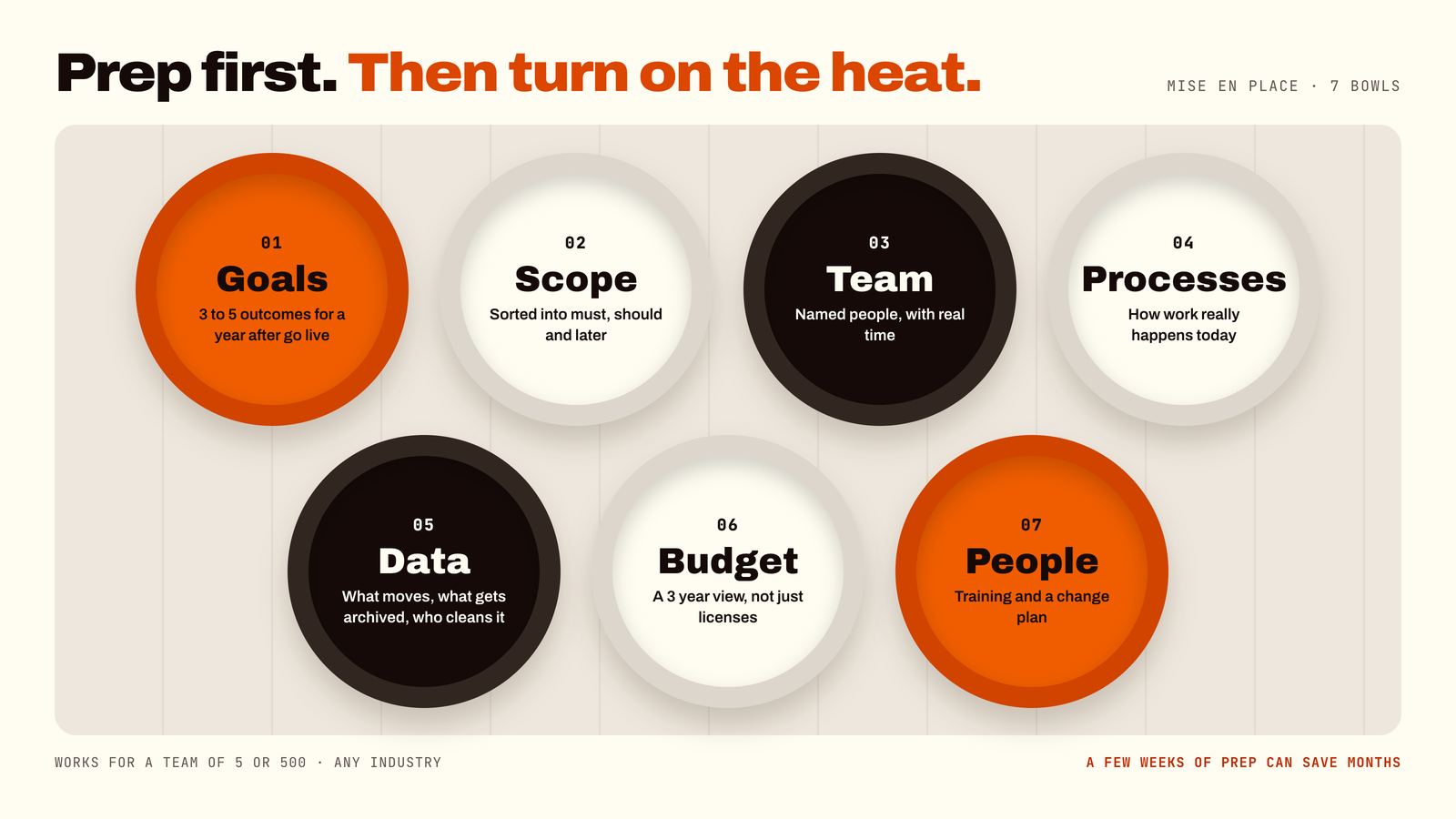
- 03Pick neither yet when: nobody can describe or document how an order becomes an invoice today. Write that down first — software cannot fix a process that only exists in someone's head.
Quick price view (2026 list price per month, annual billing):
- 01Zoho One: $37 per employee (All Employee plan — everyone must be licensed) or $90 per active user (Flexible User plan).
- 02Business Central: $80 Essentials, $110 Premium, or $8 Team Members (light-use tier).
1. What an ERP Does, and Why Dave Is Not a System
An ERP (Enterprise Resource Planning) is one shared single source of truth for both the money side and the stuff side of a business: quotes, orders, purchasing, stock, invoices, payments, and financial reporting. Nobody has ever enjoyed saying "Enterprise Resource Planning" out loud, but every scaling business reaches a point where it becomes essential.
If your company currently runs on seven disconnected spreadsheets and a senior colleague named Dave who "just knows where everything is," you are the exact reader we had in mind. Dave deserves an undisturbed holiday. Your company data deserves a proper, structured home.
Both Zoho One and Microsoft Dynamics 365 Business Central run natively in the cloud, meaning you do not buy servers or hire IT staff to babysit hardware. However, they approach the core job of business management from opposite directions.
2. Architecture and Design: Workshop Wall vs. Forged Machine
To visualize the core architectural difference, picture two distinct metalworking environments:
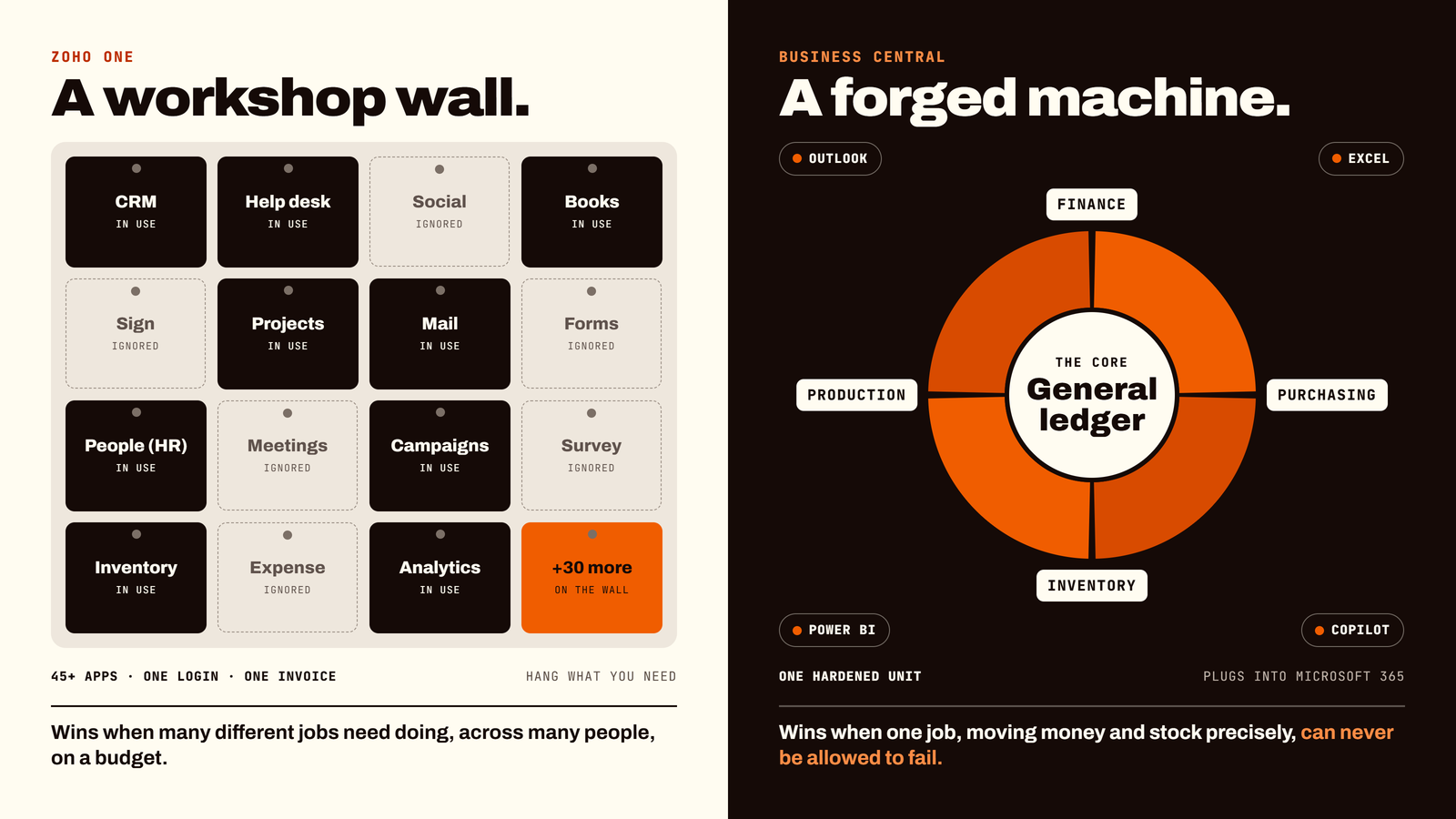
Zoho One is a Workshop Wall. It bundles more than 45 discrete applications (CRM, marketing automation, customer desk, HR, light accounting, project management, email) under one single login and one monthly invoice. You hang up the tools you need and ignore the rest.
Business Central is a Forged Machine. It is forged directly around the general ledger, where finance, purchasing, inventory, and production work as one tightly synchronized, hardened unit. It plugs natively into Microsoft 365, Power BI, and Copilot AI.
A wall of tools wins when many different operational jobs need doing across diverse departments on a budget. A forged machine wins when one central job — moving money and stock with absolute audit precision — can never be allowed to fail.
3. Side-by-Side Architectural Breakdown
To compare both platforms cleanly in a natural blog format without rigid tables, here is how they stack up across key functional areas:
- 01Built for and core scope: Zoho One provides a whole-company suite spanning sales, marketing, support, HR, and finance. Business Central provides an ERP core specifically engineered for finance, inventory, purchasing, and operations.
- 02Finance depth: Zoho One is solid for small and mid-size needs with clean invoicing and expense tracking. Business Central offers a deeper general ledger with multi-company, intercompany, and multi-currency capabilities.
- 03Manufacturing and production: Zoho One includes basic assembly features within inventory. Business Central Premium adds full Bills of Materials (BOM), routings, production orders, capacity planning, and MRP.
- 04Microsoft ecosystem integration: Zoho One connects via external webhooks and standard connectors. Business Central features native deep integration with Outlook, Excel, Power BI, and the Microsoft Power Platform.
- 05AI and analytics: Zoho One features Zia (Zoho's AI assistant) and built-in app analytics. Business Central includes Copilot AI, built-in AI agents, and embedded Power BI financial analytics.
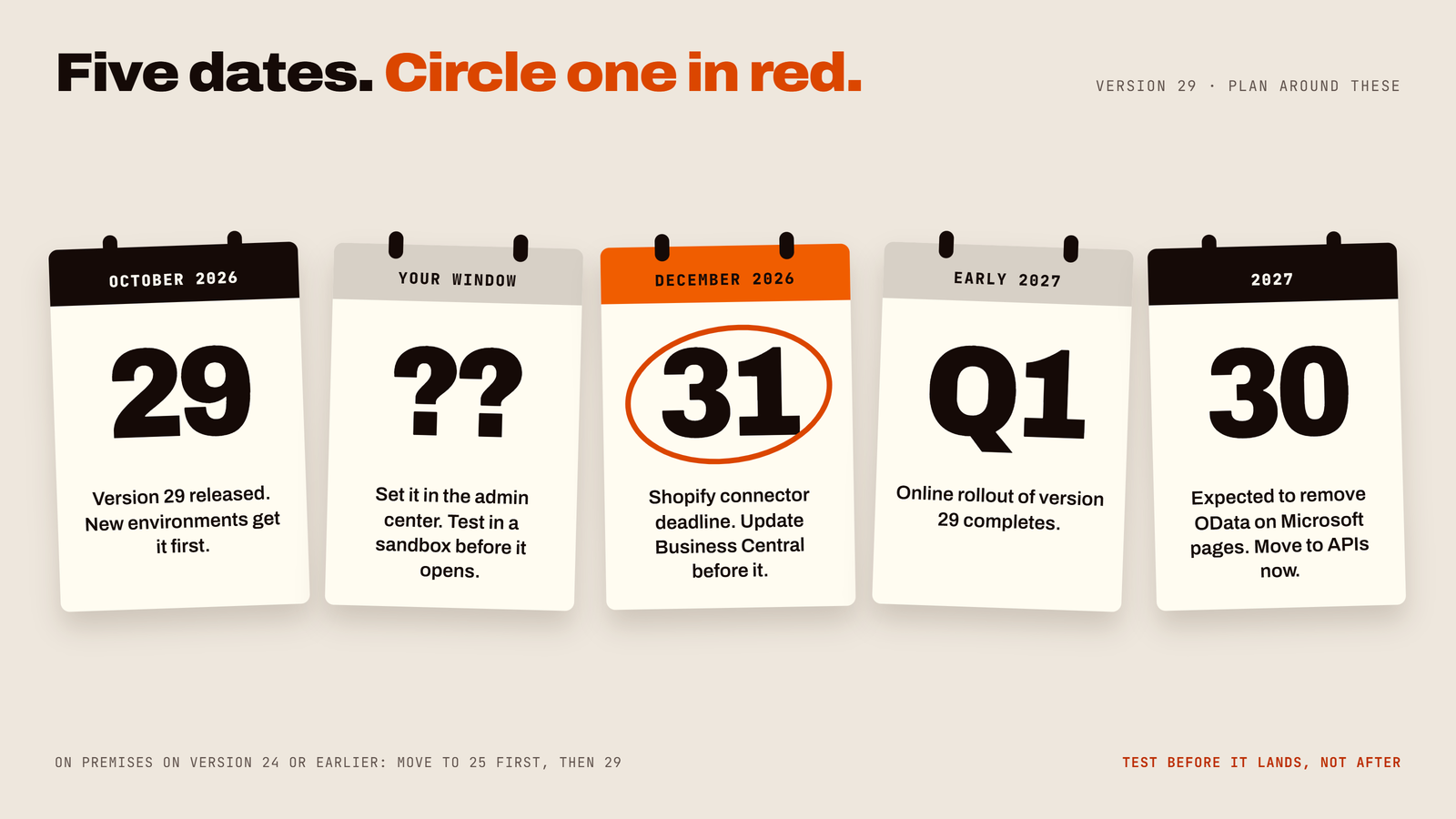
- 06Updates and delivery: Zoho One is managed by the vendor on a continuous rolling delivery basis. Business Central delivers two automatic major updates per year (in April and October) with sandbox testing environments.
- 07Licensing structure: Zoho One is licensed per employee (all payroll staff) or per active flexible user. Business Central is licensed per named user, featuring a cost-effective Team Members tier ($8/mo) for light users.
- 08Implementation and best fit: Zoho One requires configuring multiple discrete apps with careful scope management; best for broad, budget-aware, people-heavy businesses. Business Central requires structured ERP implementation and mapping; best for finance-led, stock-led, and production businesses.
4. What It Really Costs (2026 Price Breakdown)
Zoho One offers two licensing models: All Employee costs $37/employee/month (must license all payroll staff), whereas Flexible User costs $90/active user/month (license only active system users).
Microsoft Business Central costs $80/user/month for Essentials, $110/user/month for Premium (adds manufacturing and service management), and $8/user/month for Team Members (light read/approve access). Microsoft updated Business Central pricing in late 2025.
Annual cost comparison scenarios (list prices in USD, annual billing):
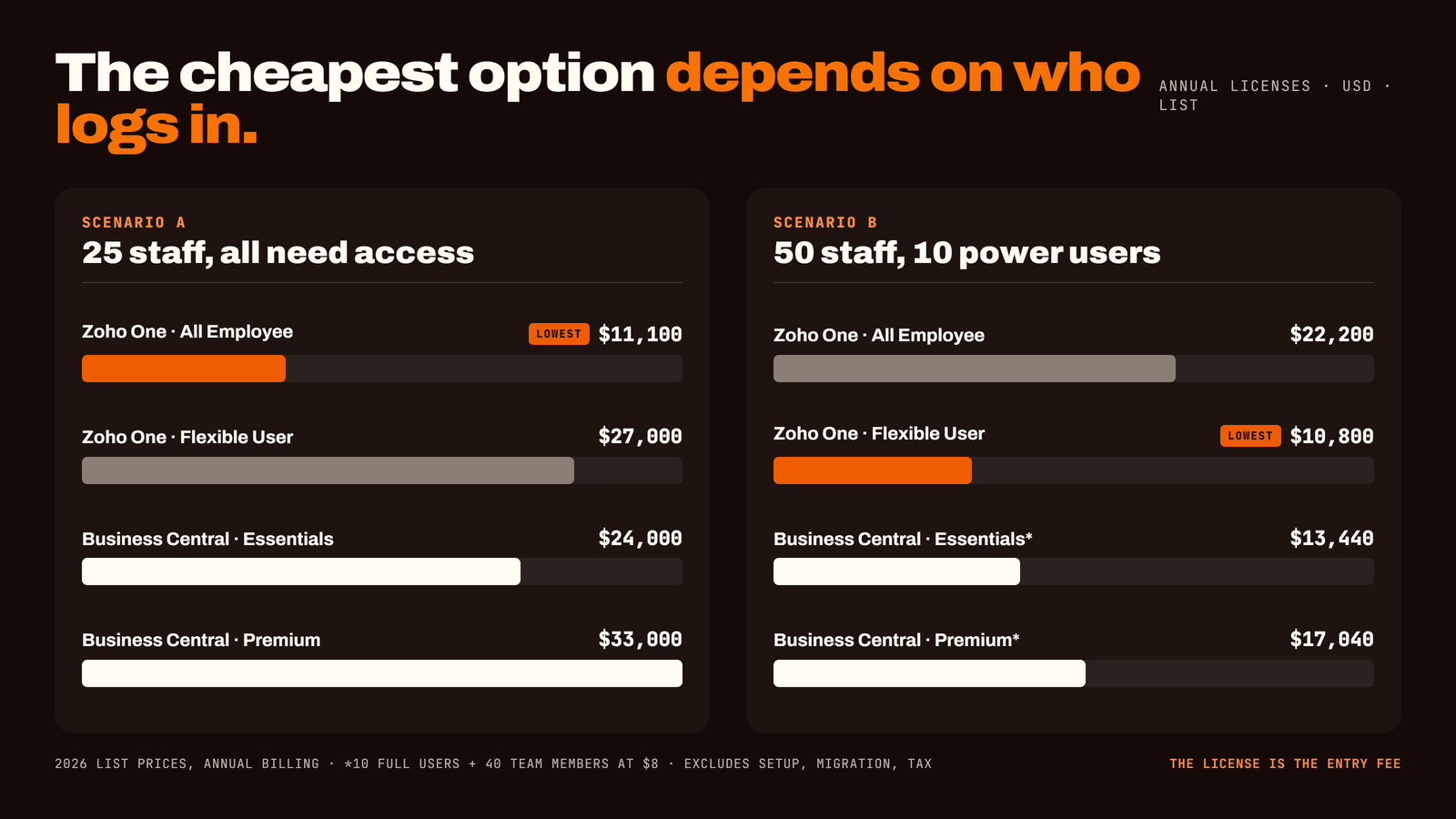
- 01Option A (25 staff, all need access): Zoho One All Employee $11,100/yr | Zoho One Flexible $27,000/yr | Business Central Essentials $24,000/yr | Business Central Premium $33,000/yr.
- 02Option B (50 staff, 10 power users): Zoho One All Employee $22,200/yr | Zoho One Flexible $10,800/yr | Business Central Essentials $13,440/yr* | Business Central Premium $17,040/yr*. *Assumes 10 full users plus 40 Team Members ($8/mo). Prices exclude setup, data migration, and tax.
Costs outside the price tag: the software license is only the entry fee. Always budget for professional setup, data cleaning, custom integration connectors, staff training, and ongoing partner support.
5. Who Wins Where: Operational Scenarios
- 01Small teams (under 20 people): everyone needs a bit of everything — CRM, quoting, invoices, HR leave tracker. A single bundle at $37/mo per person is virtually unbeatable. Leans Zoho One.
- 02Trading, retail and wholesale distribution: managing hundreds of SKUs, multi-warehouse locations, and tight gross margins rewards Business Central's stock depth and automated replenishment. Leans Business Central.
- 03Makers and manufacturers: if you need production scheduling, multi-level Bills of Materials (BOM), and capacity planning, Business Central Premium is built for it. Zoho offers basic assembly only. Leans Business Central.
- 04Service firms and creative agencies: connecting client sales, project tracking, timesheets, and invoicing across wide teams works seamlessly within Zoho One's integrated suite. Leans Zoho One.
6. Seven Costly Mistakes to Avoid
- 01Buying on price alone: a cheap software license with a botched, poorly architected setup will cost vastly more in lost productivity than a fair license with a clean setup.
- 02Skipping the process map: if you cannot map how an order flows from lead to quote to cash on paper, no software on Earth will fix it for you.
- 03Over-customizing on Day One: season the soup slowly. Implement standard out-of-the-box features first, then customize only after real staff have used the system for 90 days.
- 04Treating data migration as an afterthought: legacy customer files containing duplicate records and outdated contacts will haunt your new system unless cleaned prior to import.
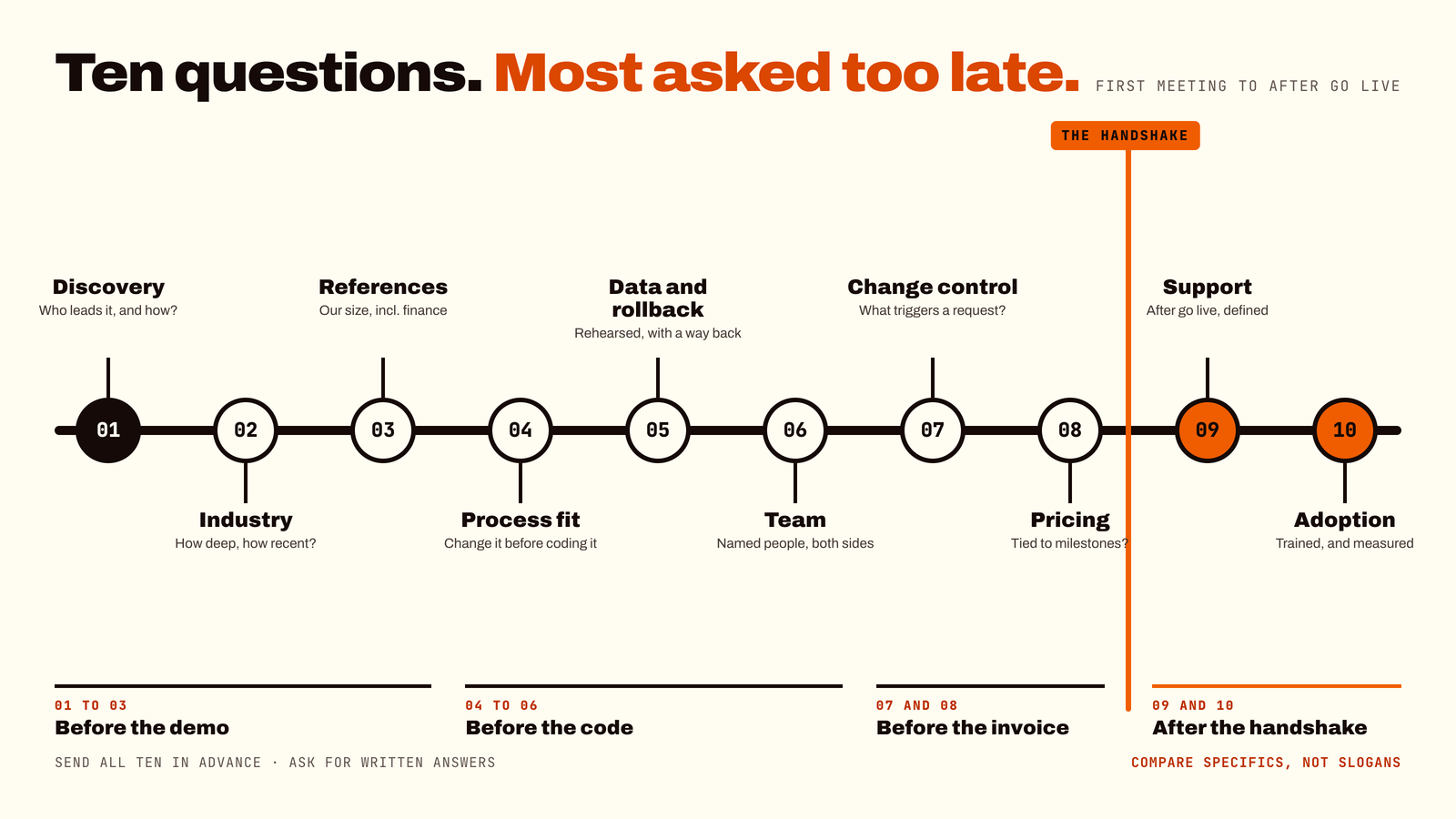
- 05Choosing an implementation partner by discount: always demand written scope documents and verifiable client references from companies of your exact scale and industry.
- 06Having no internal product owner: someone inside your organization must possess the authority to say, "No, we are not building a 14th approval step."
- 07Underinvesting in staff training: the most advanced ERP engine in the world fails completely if untrained employees quietly revert to personal spreadsheets.
7. The 2-Minute ERP Decision Quiz
Answer these five quick questions to determine your primary system match:
- 01Q1 — What is the primary operational driver of your business? A) Managing leads, marketing, sales pipelines, and customer support. B) General ledger integrity, inventory control, and multi-currency accounting.
- 02Q2 — Do you manufacture goods with complex Bills of Materials (BOM) and capacity planning? A) No, we sell services, digital goods, or simple light assembly. B) Yes, full production and MRP are core to our operations.
- 03Q3 — How embedded is your team in the Microsoft ecosystem? A) We use basic email or Google Workspace. B) We live in Outlook, Excel, Teams, and Power BI daily.
- 04Q4 — How many of your employees need system access? A) Almost every payroll employee needs access to some tool (HR, Desk, CRM). B) Only a core team of power users need full ERP access; others need light approval access.
- 05Q5 — What is your primary software evaluation priority? A) Maximum software coverage across all departments for a predictable low cost. B) Enterprise-grade financial audit trails, strict compliance, and scalable inventory depth.
Quiz scoring key:
- 01Mostly A's: strong alignment with Zoho One. Your priority is broad multi-department coverage at high cost-efficiency.
- 02Mostly B's: strong alignment with Business Central. Your priority is financial control, stock depth, or manufacturing precision.
- 03Equal split: schedule an operational process mapping workshop before requesting vendor software demos.
Still deciding between Zoho One and Business Central?
At ForgeSolutionz, our Business Central specialists will walk through your processes and tell you honestly which system fits, even if it isn't us. We'll map your operational drivers against both platforms, give you a real-world cost comparison for your team size, and show you what implementation actually looks like. No obligation — you'll leave with a clear next step either way.
Book a consultation